



How to build and manage your wedding guest list
Import your guests from a spreadsheet. Group families into households. Keep every reply and dietary need in one place.
Ten tools that share one guest list.
Managing Matrimony is wedding planning software for couples marrying in Australia. Your checklist, budget, vendors, guest list and RSVPs, wedding website, invitations, seating plan, run sheet and stationery all live in one account, and they all work from the same guest list. It is free for up to 100 guests. Manage is $149 and Elevate is $399, each paid once, not a subscription.
No card to start.
$0
Up to 100 guests
The checklist, budget, vendor directory, guest list and RSVPs, wedding website, floor plan and table planner, import and export, and the design studio.
$149, once
Unlimited guests
Everything in Free, plus save the dates and invitations by email and SMS (150 texts), and the run sheet.
Most chosen paid plan, July to September 2026.
$399, once
Unlimited guests
Everything in Manage, plus Memories, a $100 stationery credit, free shipping on print orders, a coordinator's review of your run sheet, and 300 texts.
Pay once, not a subscription. Prices are in Australian dollars and include GST.
On Free your guest list holds up to 100 guests. To add more, move up to Manage, and everything you have entered stays where it is.
Here are the ten tools, grouped by the job they do, each shown working. These are real screens captured inside Managing Matrimony, and the numbered notes point to controls you can use yourself.
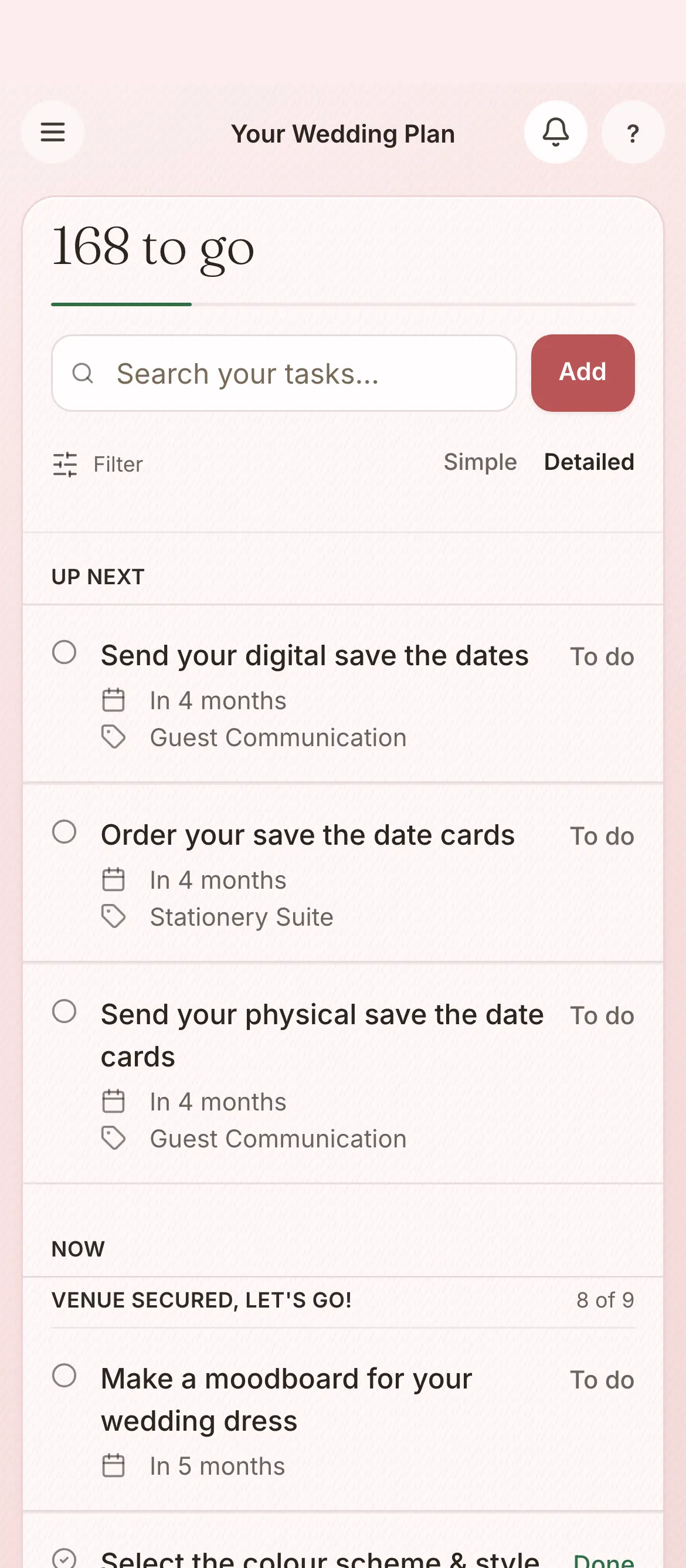
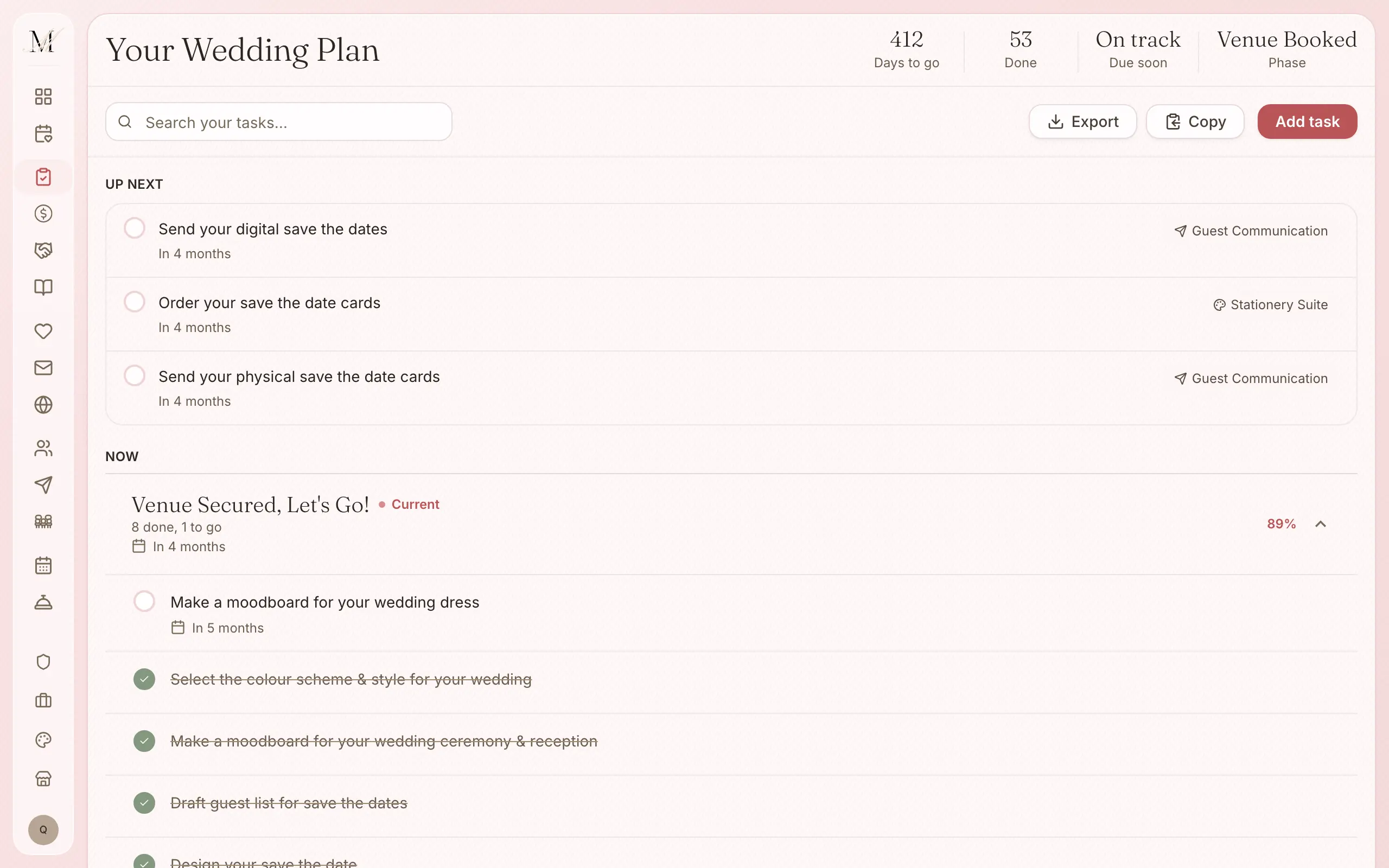
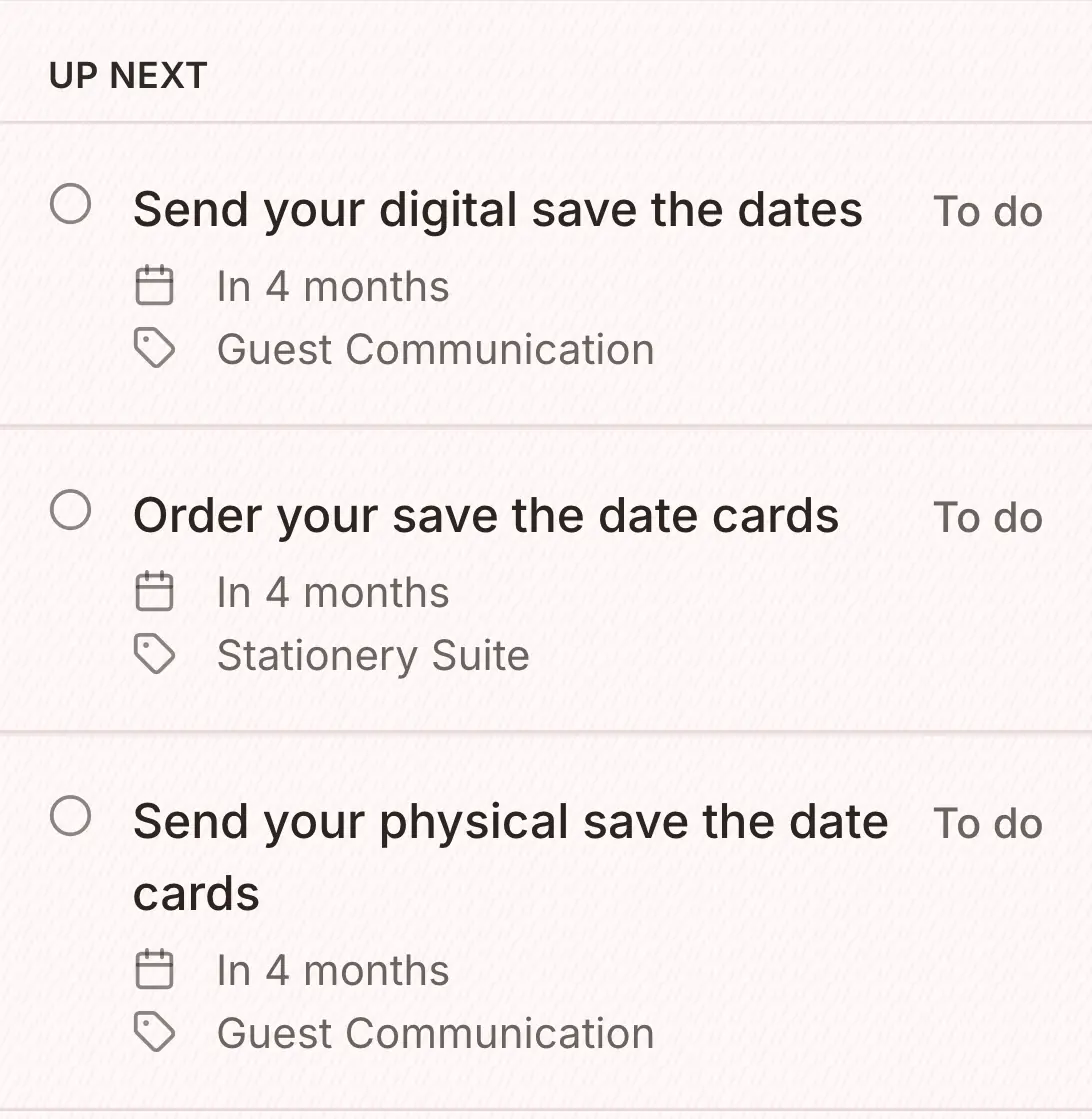
The plan What do we do next?
More than 200 tasks in eleven stages, each with a due date counted back from your wedding day.
Budget What will it cost, and who are we paying?
Every quote, deposit and final payment, kept against the vendor it belongs to, so you always know where the money is going.
More than 2,300 Australian wedding vendors to browse. Shortlist the ones you like, send your enquiries, and each one you book goes into your budget.
Guests Who is coming?
Every household, reply and dietary need in one list. Import a spreadsheet to start, or add guests as you go.
Your details, FAQs and registry links at one address, with an RSVP form that fills in your guest list as people reply.
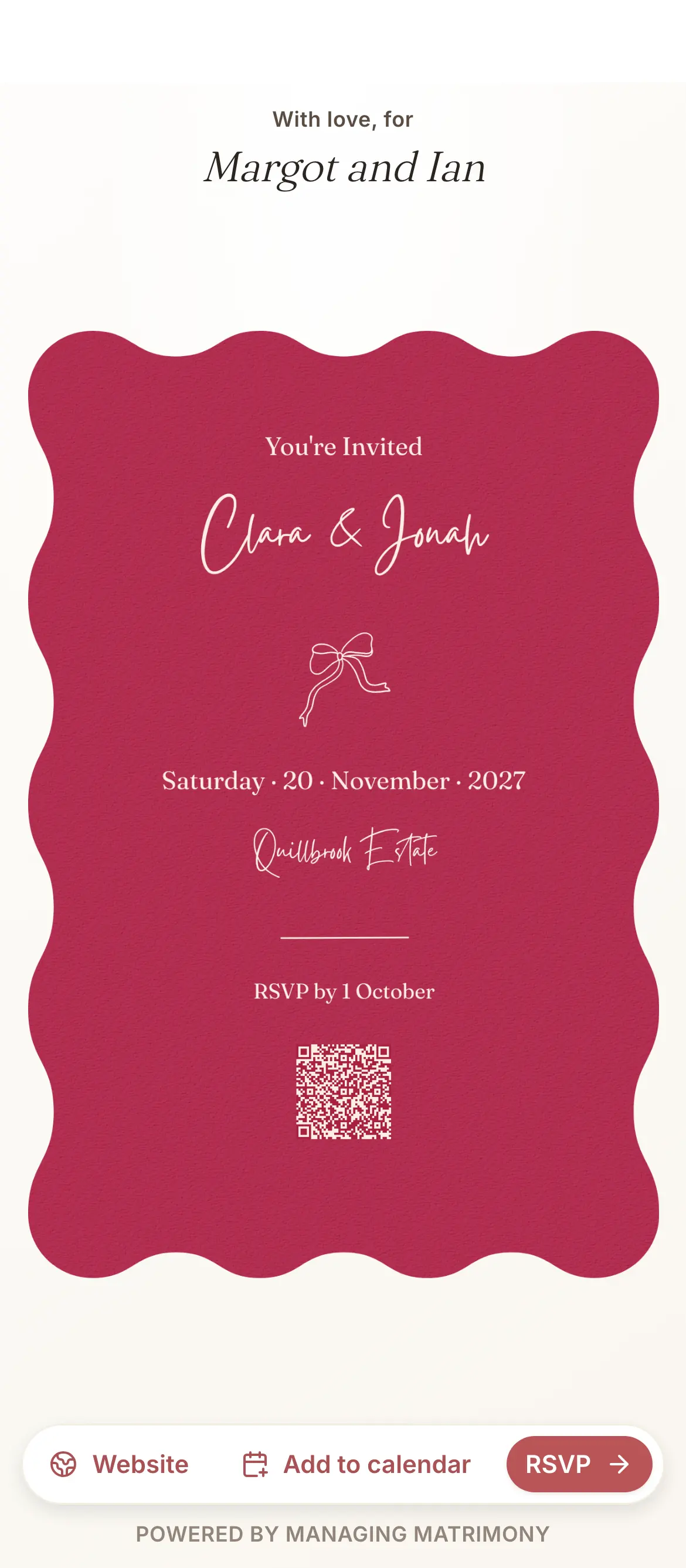
Start from a template, then send it by email and SMS with an RSVP link, or order it printed. Sending is part of Manage.
Guest messages take your guests through five steps, from collecting their contact details to the thank-you.
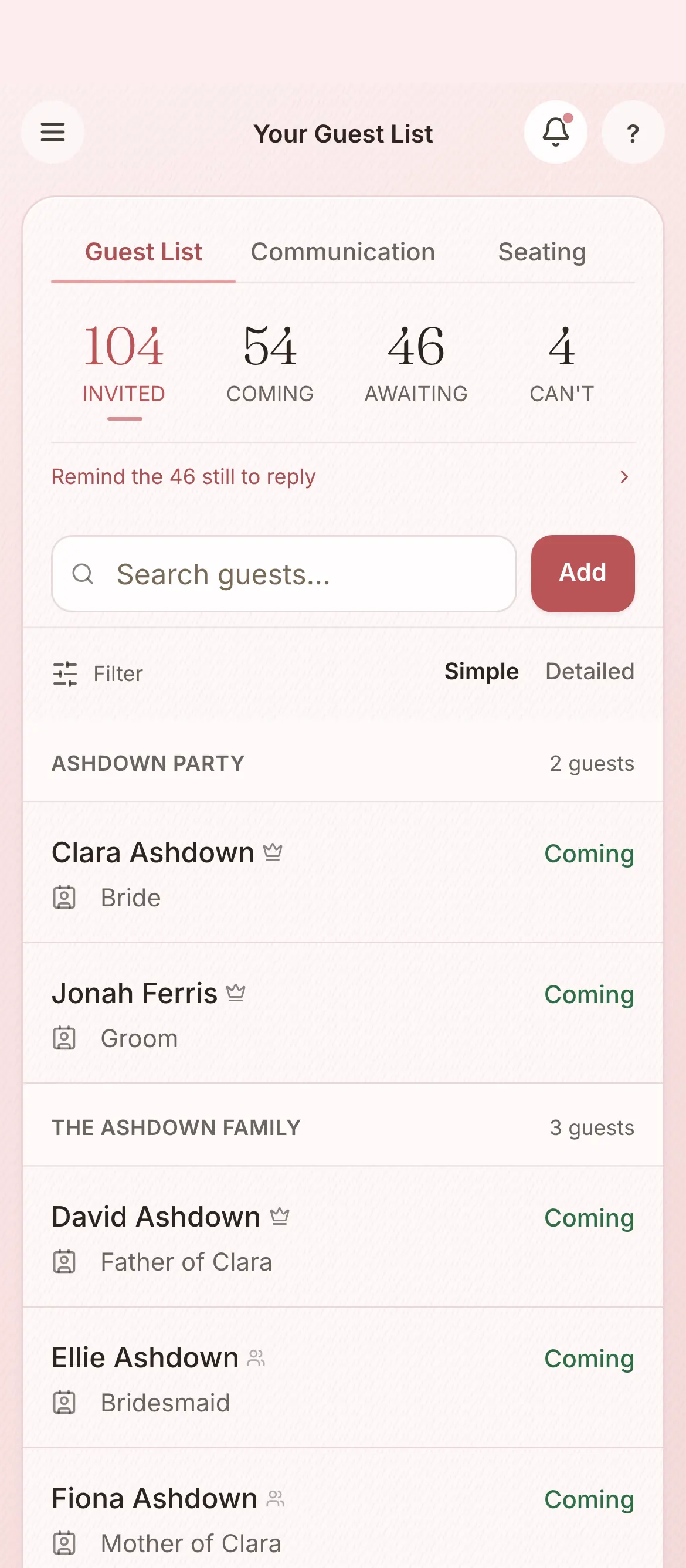
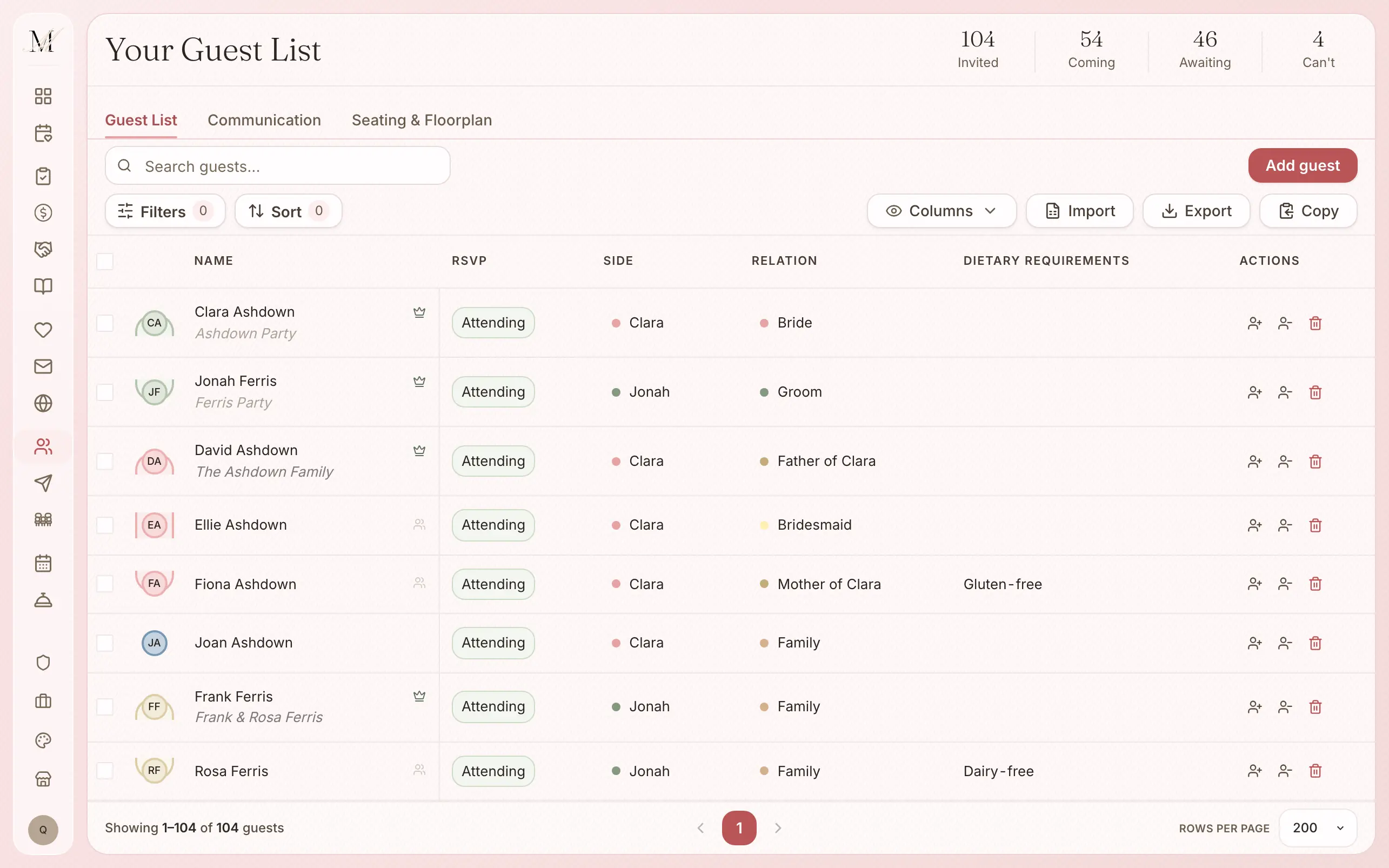
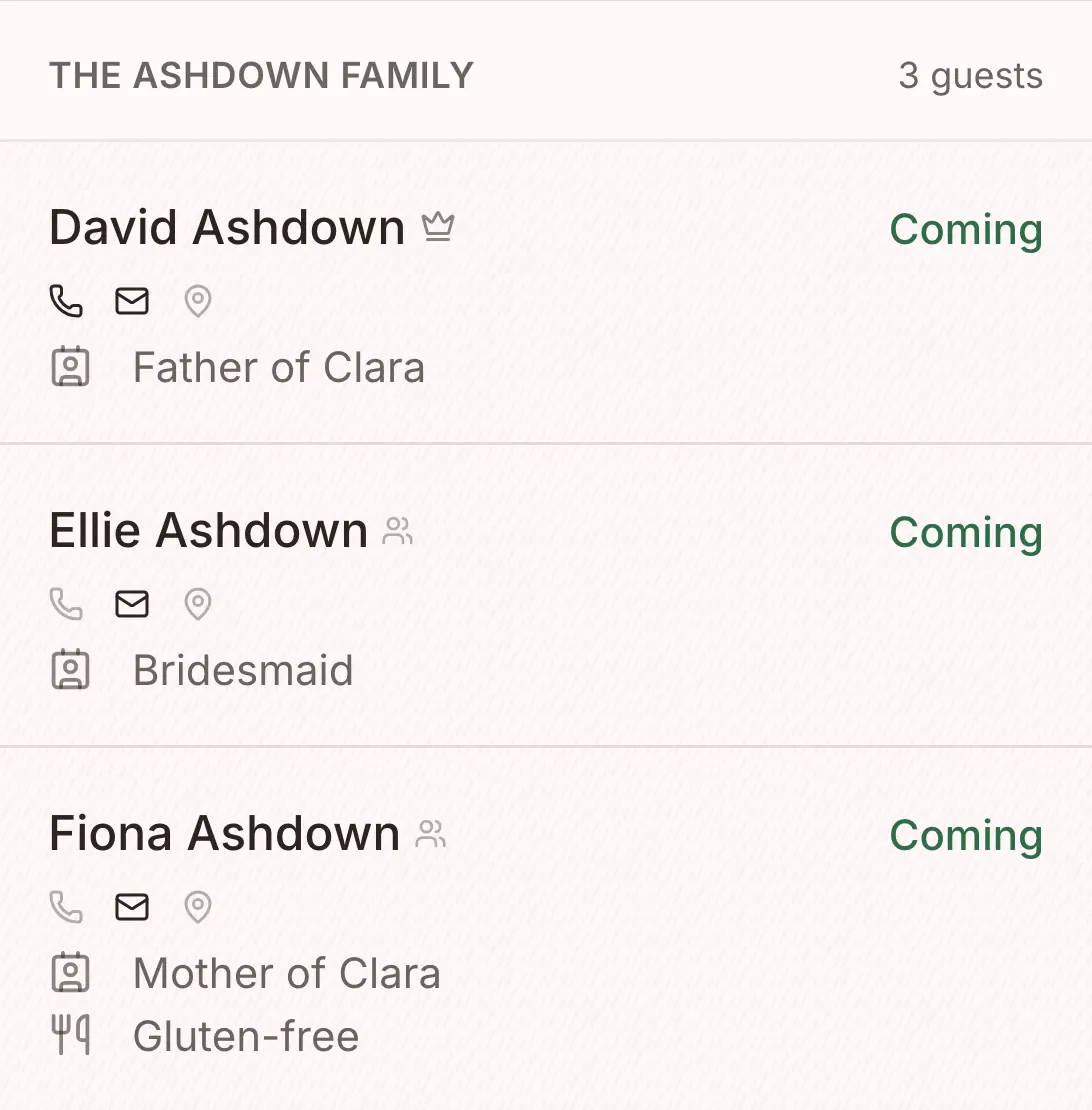
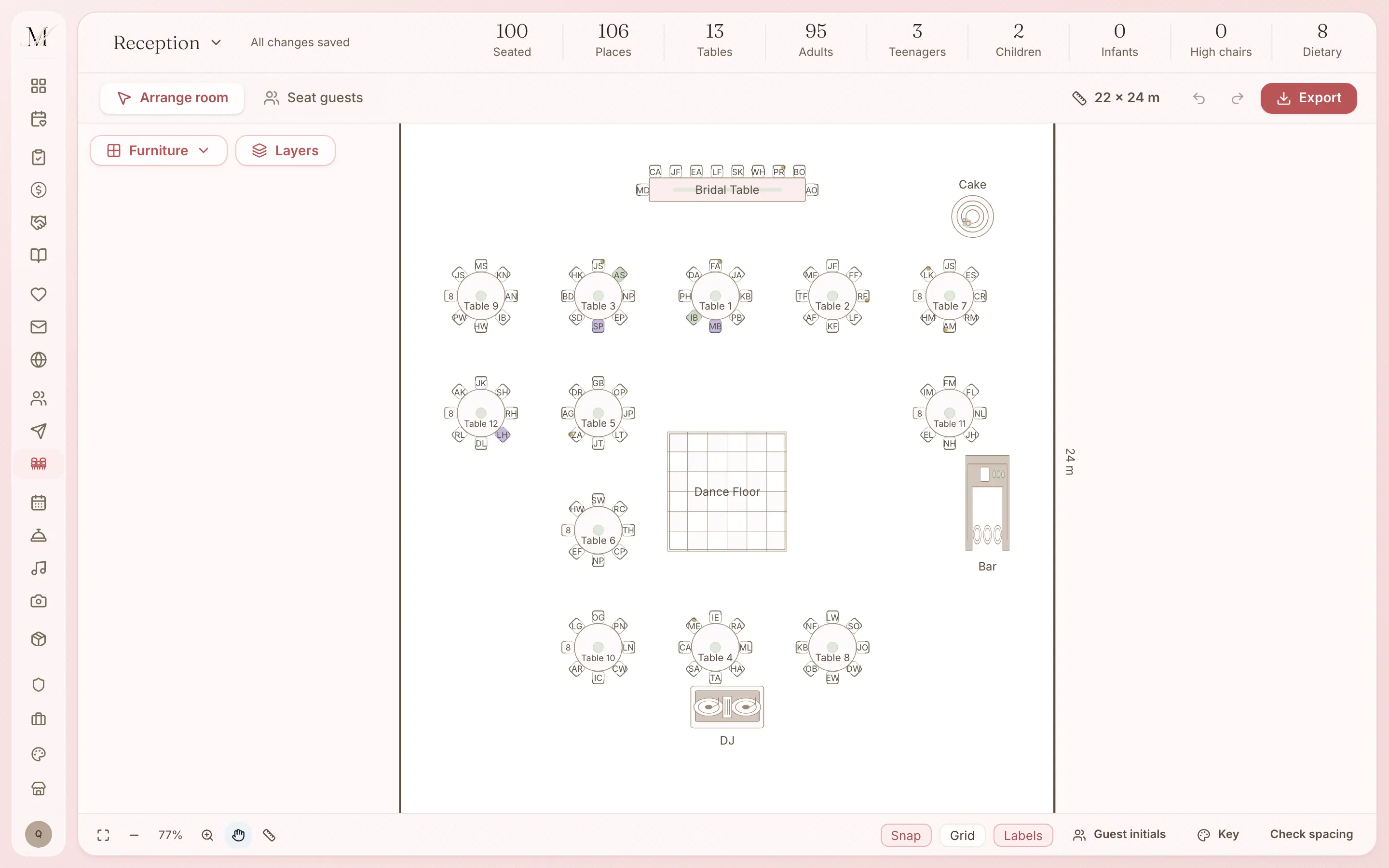
Seating Where does everyone sit?
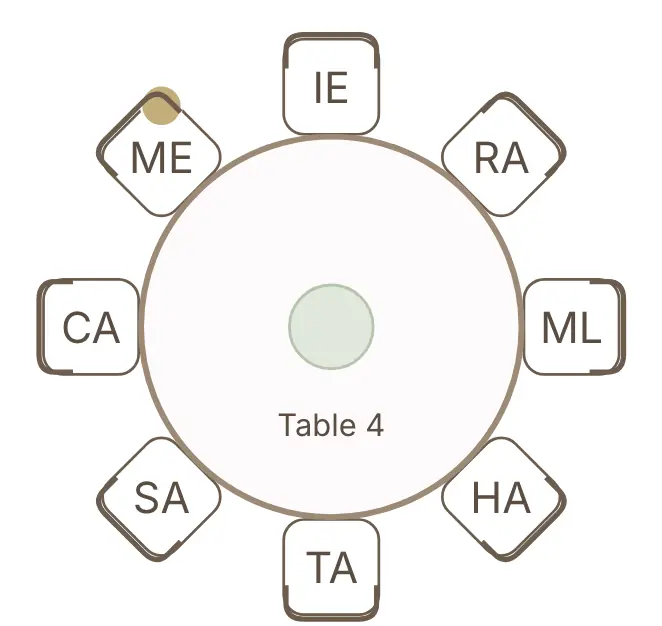
Place your tables, seat your guests straight from the guest list, and download a PDF for the venue. It is on every plan, including Free.
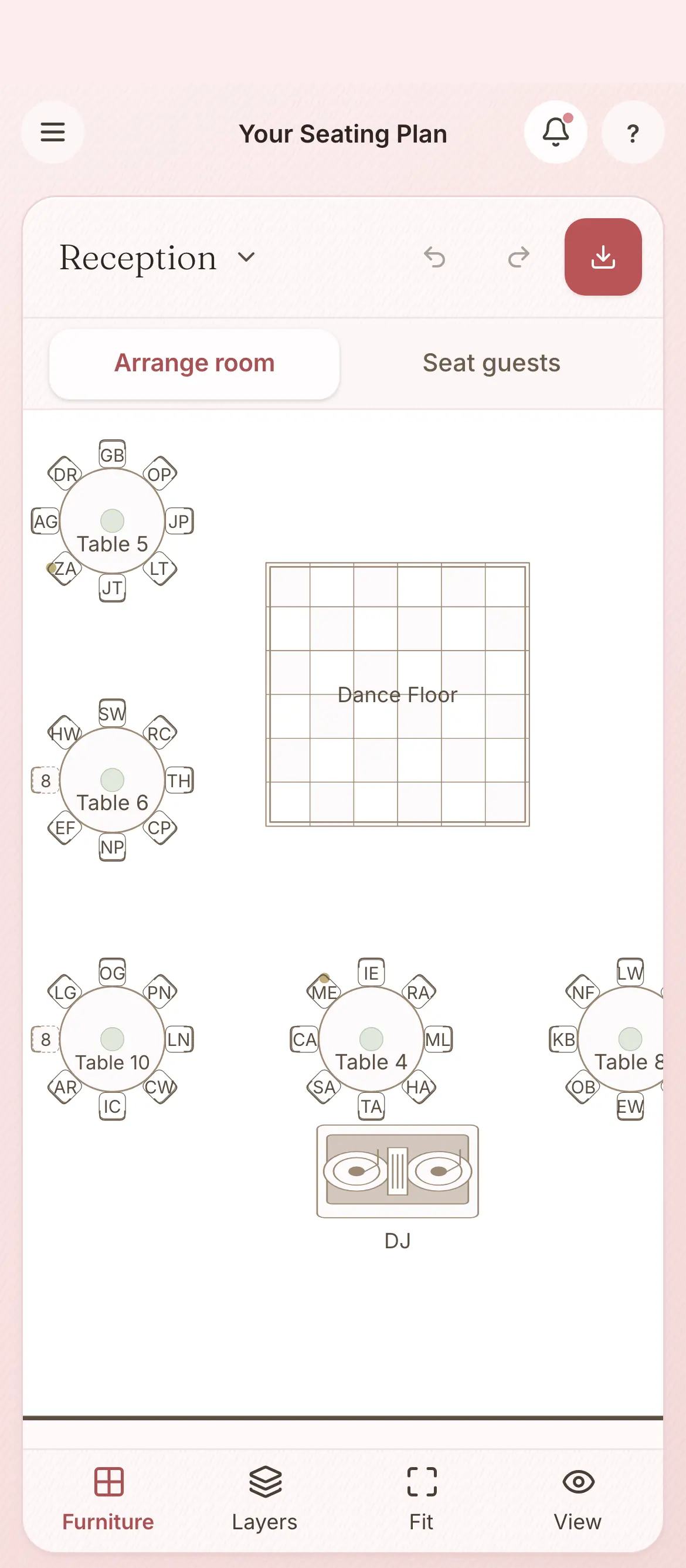
Stationery What do guests hold and see?
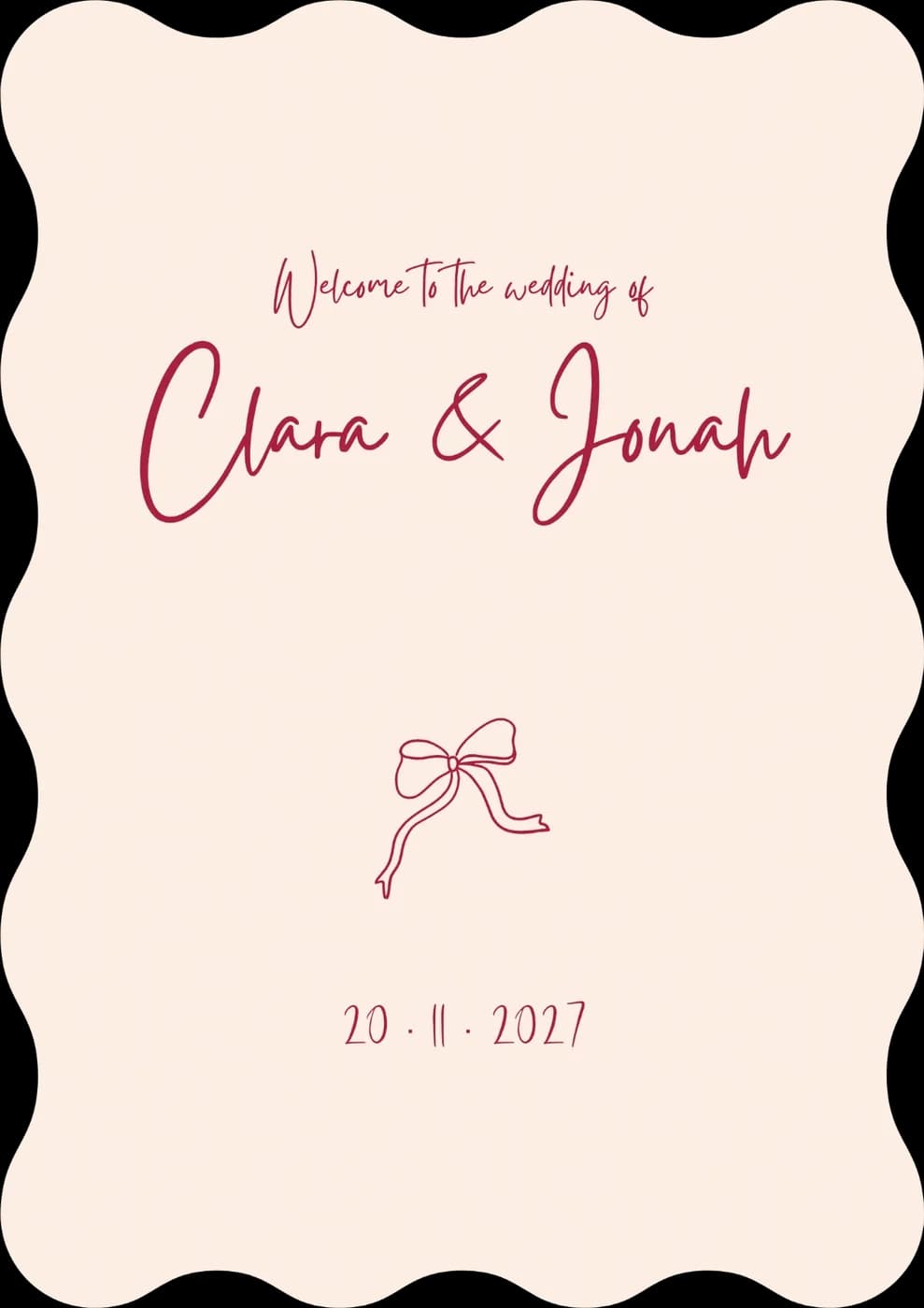
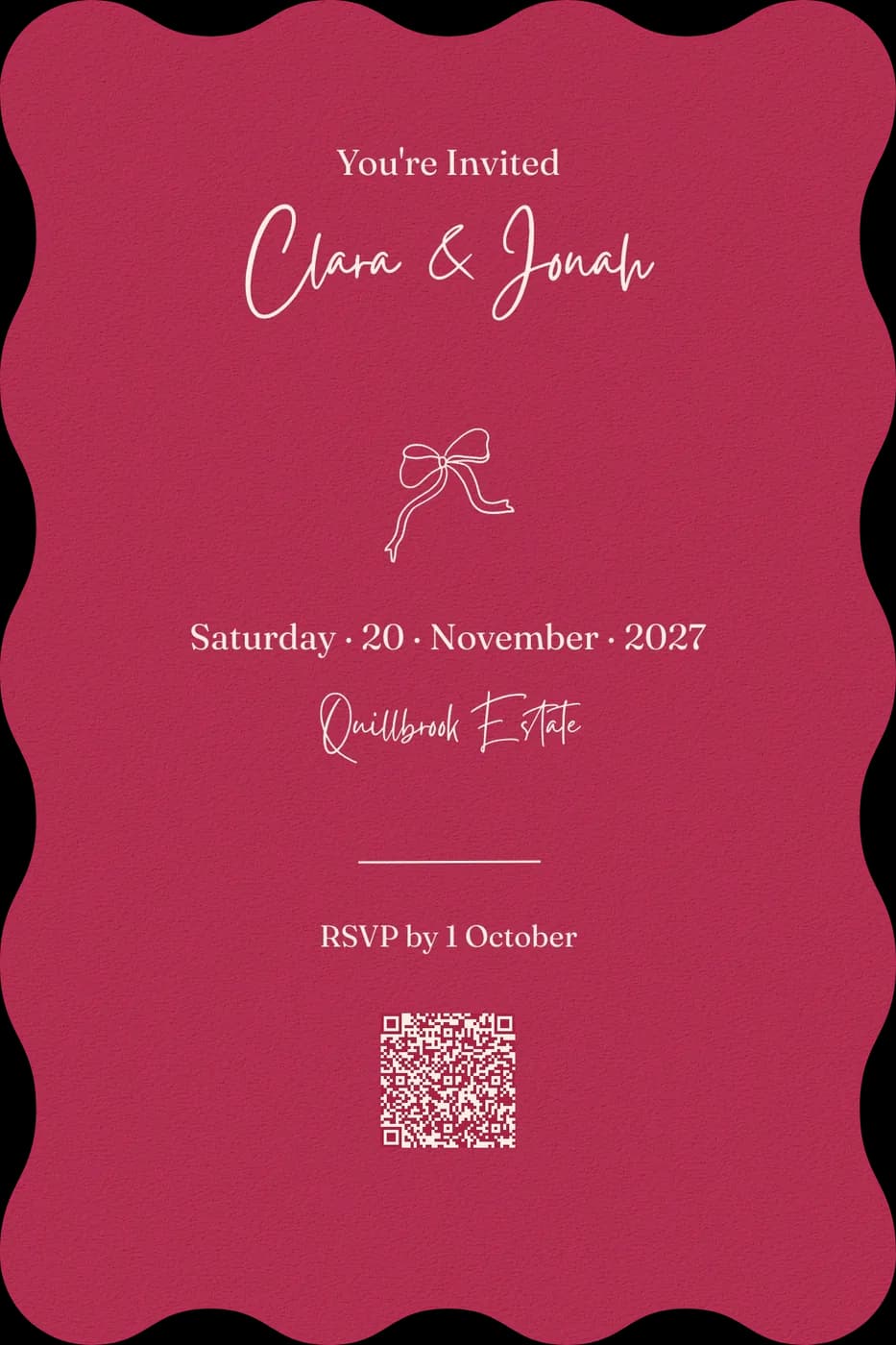
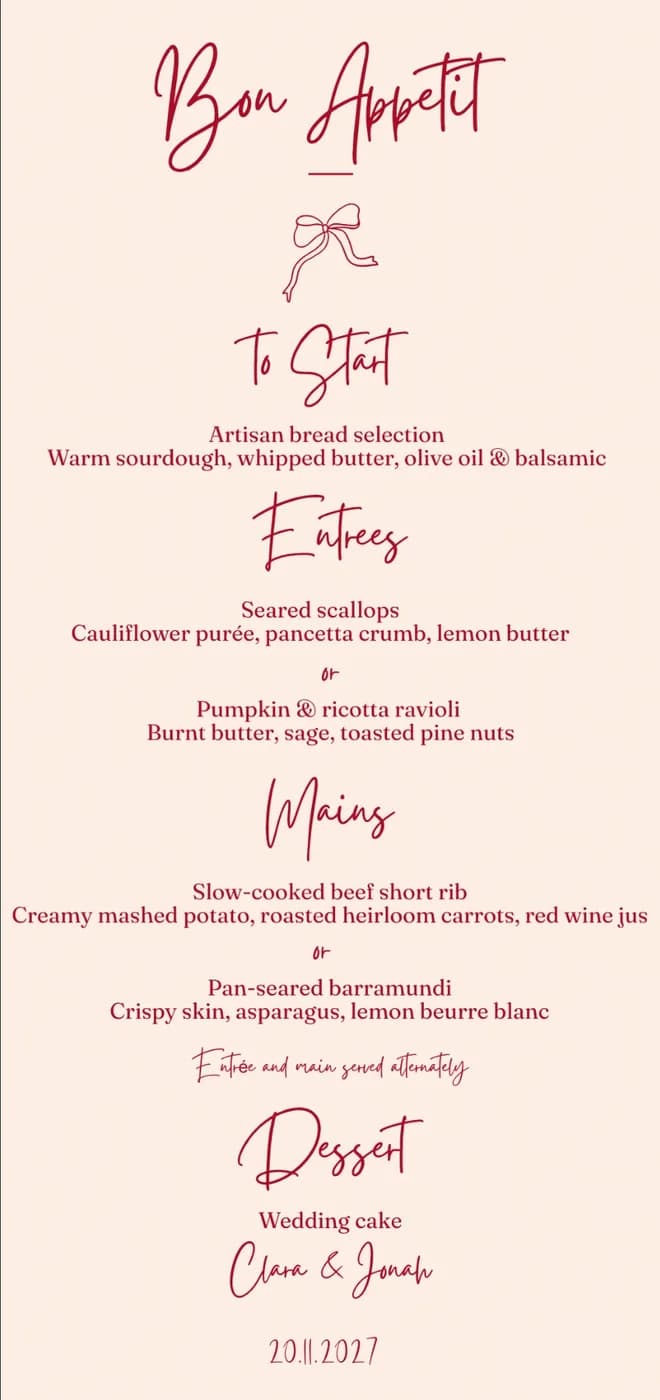
Design your save the dates, invitations, welcome sign, seating chart, menus, place cards, table numbers and bar signs in one design, then have them printed to order.
Your digital invitation and the printed one come from the same design, so you only design each piece once.


The day What happens, and when?
Answer a few questions and the first draft of your run sheet is written for you. Then give each moment its time and the people involved. The run sheet is part of Manage.
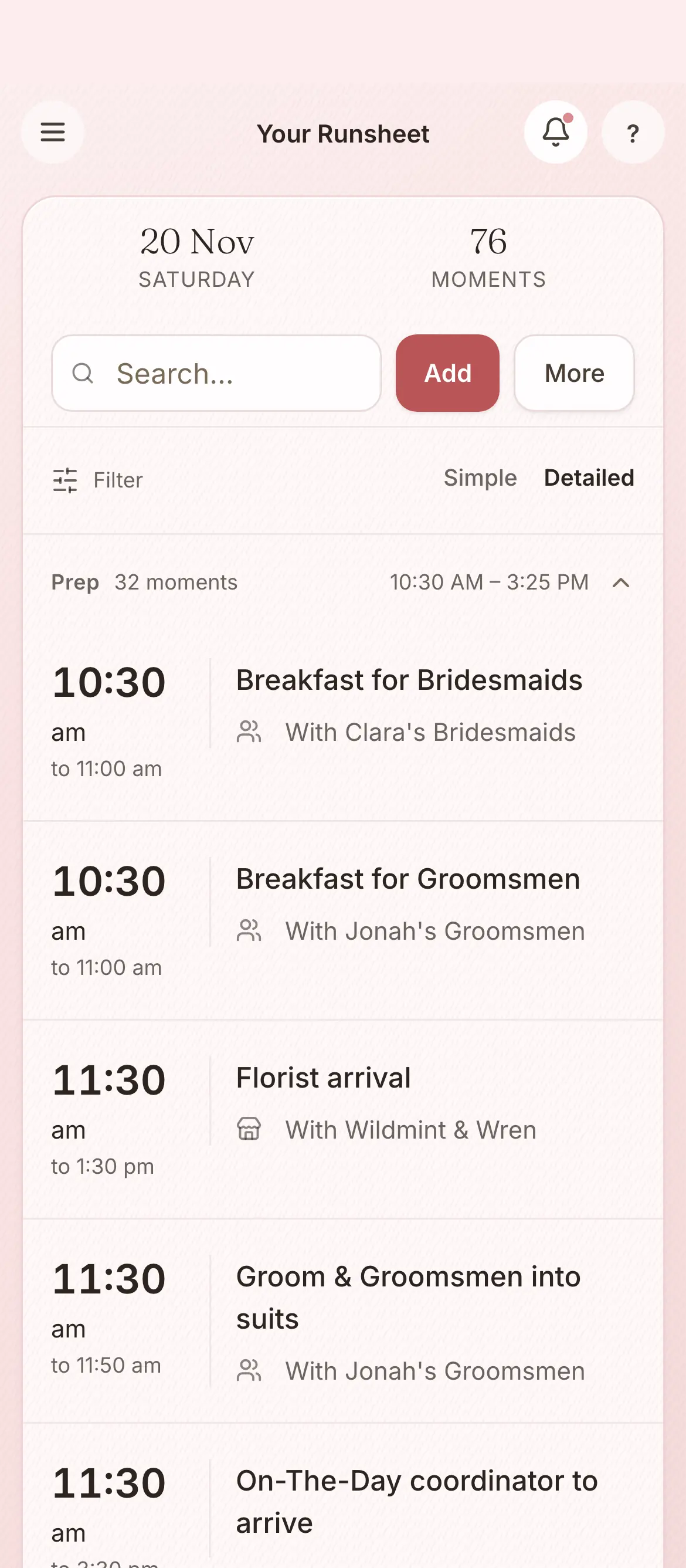
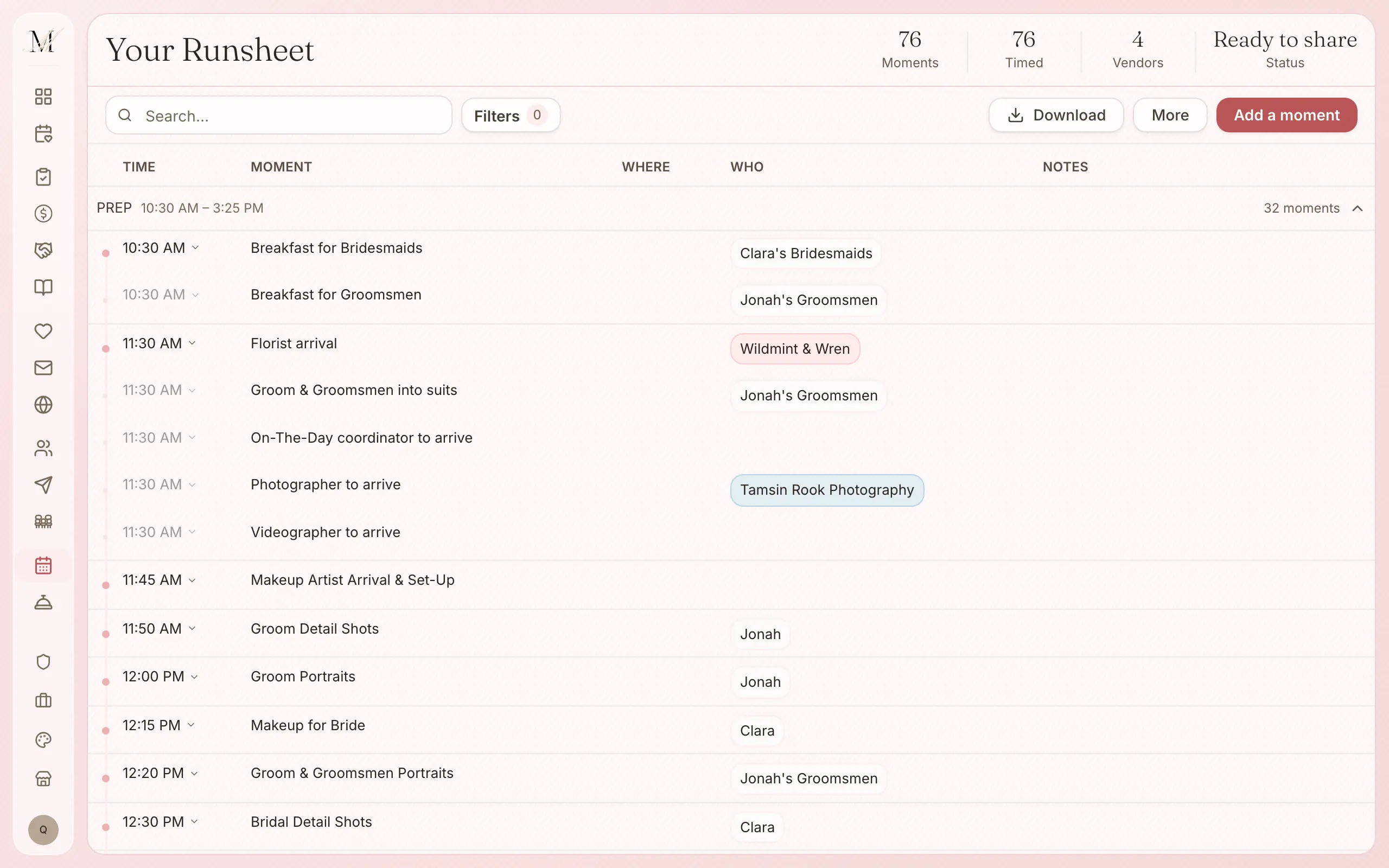
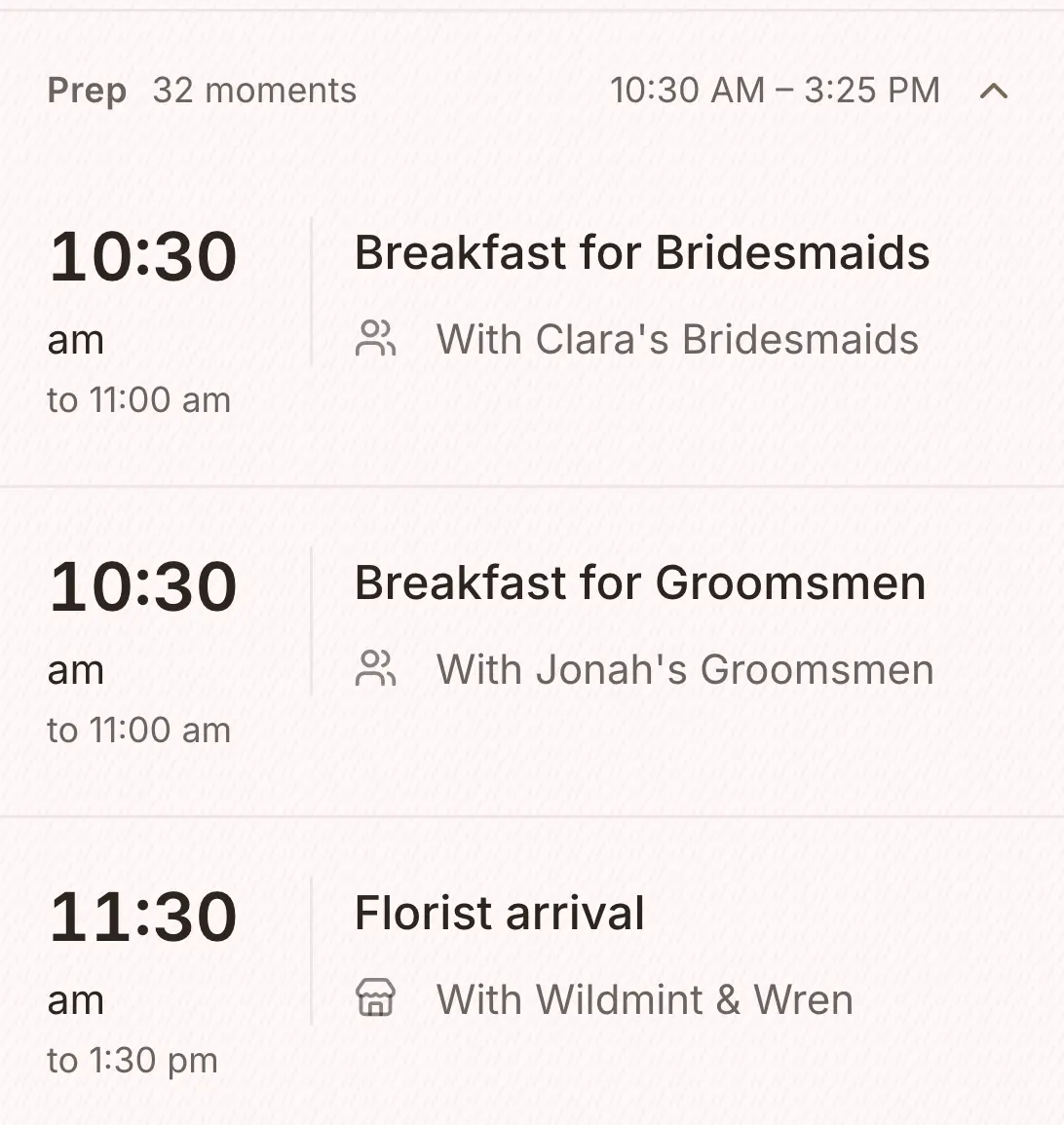
The run sheet shows who is looking after each moment, and whether every moment has a time yet.
Memories How do we keep the day?
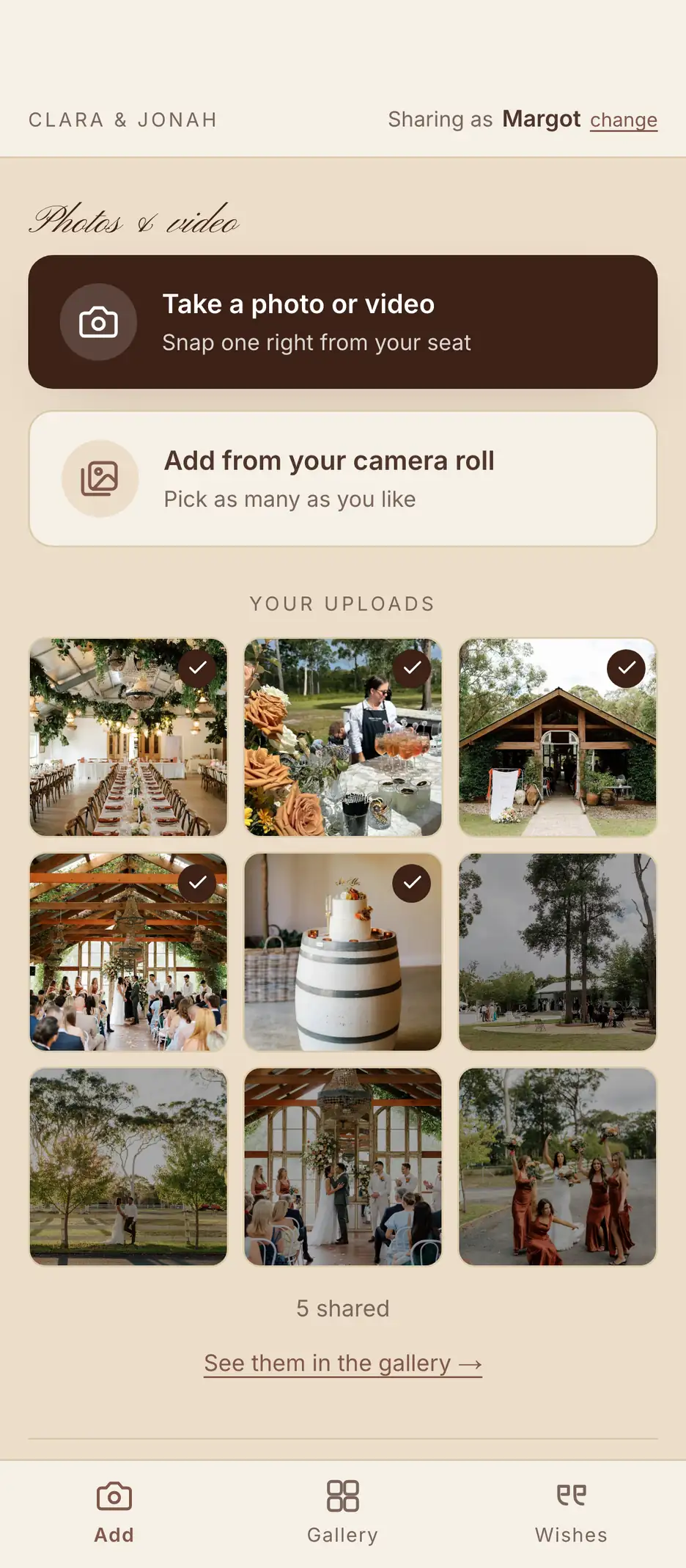
Guests scan a QR code and add their photos, videos and wishes to your gallery. It is $59 once, or included in Elevate.
One guest list feeds your RSVPs, your seating plan, your website, the run sheet and your stationery, so you never type a name twice.
We are Jordan, Michael and Bella, a Sydney family team. We coordinate weddings, and we built this platform to run them on. If you would like us there on the day, your coordinator works from the same plan you built. On-the-day coordination starts from $1,800 inc. GST in Sydney and regional NSW, and includes Manage ($149).
One on the guest list and one on the budget. You can watch both without signing up.
Import your guests from a spreadsheet. Group families into households. Keep every reply and dietary need in one place.
Set your total budget. Log each quote and deposit against its vendor. See where every dollar is going.
Every figure here is read from each provider's own website; we did not test the apps ourselves. We make Managing Matrimony.
Compiled by Jordan, founder of Managing Matrimony. Facts checked October 2026, from each provider's own website.
An em dash means the provider's own pages do not say either way. Limited means they describe it only on a paid plan, only in part, or not for a wedding in Australia.
| App | Free tier | From | Guests on free | Australian | Built for |
|---|---|---|---|---|---|
| Managing Matrimony | Yes | $149 | Up to 100 | Yes | Australia |
| Easy Weddings | Yes | Free | — | Yes | Australia |
| Bridebook | Yes | Free | — | No | United Kingdom |
| Say I do | Yes | $25 or $69 | Up to 20 or 85 | Yes | Australia |
| WedSites | Trial | $59 | — | Yes | Australia |
| Centrepiece | Yes | $13 a month | Up to 150 | Yes | Australia |
| Ivory Lane | Yes | $99 | Up to 100 | Yes | Australia |
| The Knot | Yes | Free | — | No | United States |
| Joy | Yes | Free | Unlimited | No | United States |
For
Couples planning their own wedding in Australia who want the guest list, the money and the day in one place. It runs in a web browser, on a phone or a computer.
Not for
If all you need is a cash registry, an inspiration board or a one-off checklist, a simpler tool made for just that will probably suit you better.
Businesses
It is not built for venues or wedding businesses to run their own work. If you run one, you are welcome to list it in our directory.
List your businessYes. It is built for couples marrying in Australia: prices in Australian dollars with GST included, an Australian vendor directory, dates and phone numbers written the Australian way, and stationery printed to order.
Ten: the checklist, the budget tracker, the vendor directory and your shortlist, the guest list and RSVPs, the wedding website, invitations and save the dates, seating and the floor plan, the design studio for your stationery, the run sheet, and Memories. Sending invitations and the run sheet are part of Manage ($149). Memories is included in Elevate ($399), or it is $59 on its own.
Yes. The Free plan covers up to 100 guests and includes the wedding website, checklist, budget, vendor directory, seating chart and floor plan, RSVPs, and importing and exporting your lists. If you need more, the paid plans start at $149, paid once in Australian dollars, with no subscription.
On Free, the guest list holds up to 100 guests. Manage removes the limit for $149, paid once, and everything you have already entered stays where it is.
Once. Manage is $149 and Elevate is $399, in Australian dollars with GST included. There is no subscription and nothing renews.
Yes. On every plan you can export the guest list, budget and checklist as CSV files, and the seating plan as a PDF. The run sheet exports with Manage. Exports are done on the desktop site.
Both. We are a Sydney family team who plan and coordinate weddings, and we built this platform to run them on. In Sydney and regional NSW, wedding planning starts from $9,900 inc. GST and on-the-day coordination from $1,800 inc. GST, which includes Manage ($149).
If all you need is a cash registry, an inspiration board or a one-off checklist, a tool made for just that will probably suit you better. Managing Matrimony is for couples who want their guest list, RSVPs, seating, budget, run sheet, website, vendors and stationery connected, from the first guest you add to the last moment of the day.
