
How to build and manage your wedding guest list
- Import your guests from a spreadsheet.
- Group families into households.
- Keep every reply and dietary need in one place.
Four short walkthroughs, no sign-up needed.
Who is coming?
What will it cost, and who are we paying?
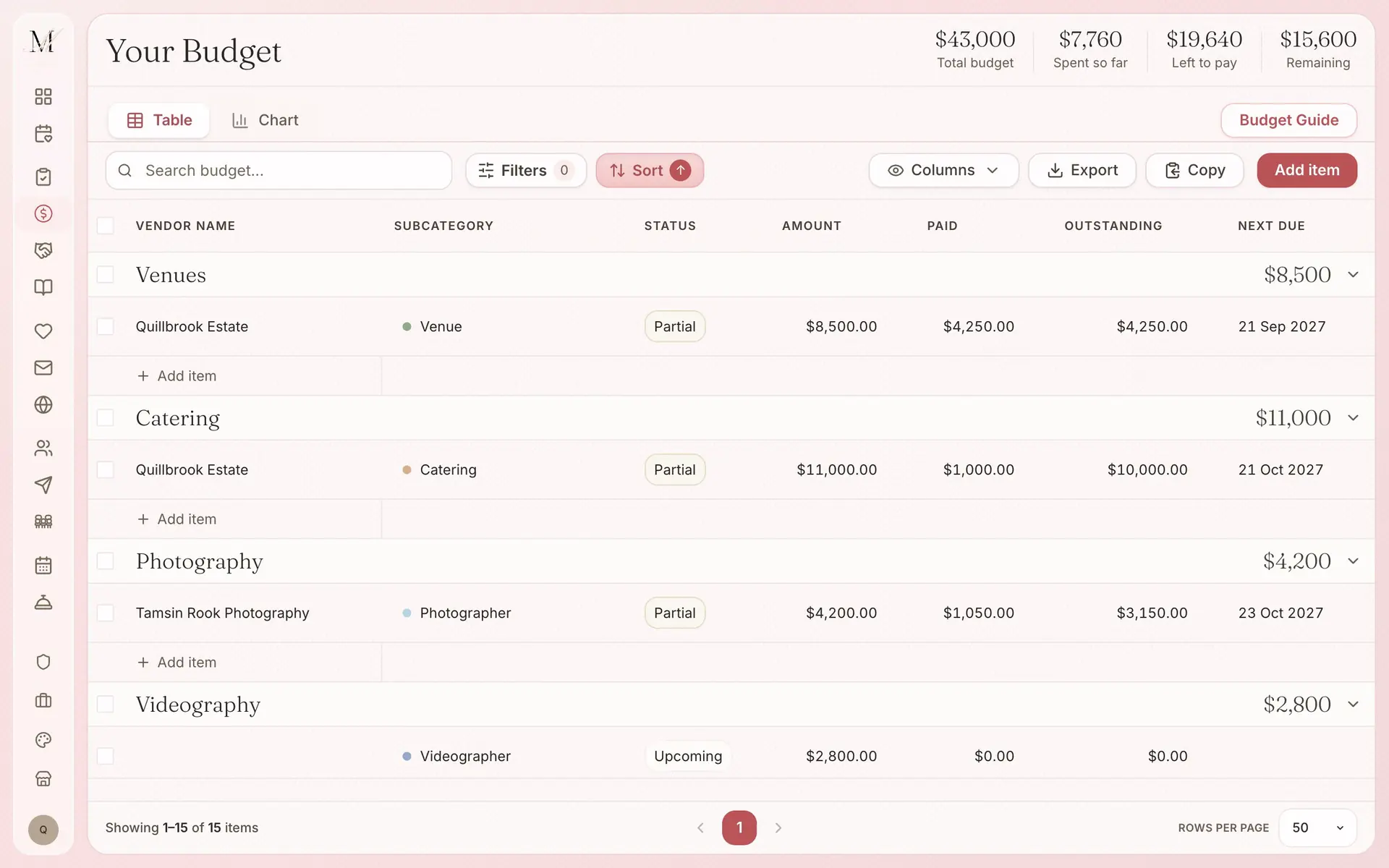
The guest list, the vendor tools and the budget are all on the Free plan, for up to 100 guests, and sending messages to guests is part of Manage ($149, paid once).
No card to start.
We have not filmed these seven yet. Each one has its own page, with screens of the product in use.
Place your tables, seat your guests straight from the guest list, and download a PDF for the venue. It is on every plan, including Free.
Your details, FAQs and registry links at one address, with an RSVP form that fills in your guest list as people reply.
Start from a template, then send it by email and SMS with an RSVP link, or order it printed. Sending is part of Manage.
Design your save the dates, invitations, welcome sign, seating chart, menus, place cards, table numbers and bar signs in one design, then have them printed to order.
More than 200 tasks in eleven stages, each with a due date counted back from your wedding day.
Answer a few questions and the first draft of your run sheet is written for you. Then give each moment its time and the people involved. The run sheet is part of Manage.
Guests scan a QR code and add their photos, videos and wishes to your gallery. It is $59 once, or included in Elevate.
No. Every video here plays in full without signing up, so you can see how the platform works before you start.
Three of the four are. The guest list, the vendor shortlist and the budget tracker are on the Free plan, for up to 100 guests. Sending messages to guests is part of Manage ($149, paid once). You do not need a card to start.
Between 44 seconds and 1 minute 9 seconds. The budget runs 44 seconds, the vendor shortlist runs 49 seconds, guest messages runs 1 minute 4 seconds and the guest list runs 1 minute 9 seconds.