
Free wedding website, with RSVPs built in. One link your guests will keep.
Every plan, including Free, gives you a wedding website at its own address, with pages for your story, the events, travel, your registry, the dress code and questions, and an RSVP form that puts every reply straight into your guest list. It is free for up to 100 guests. Past 100 guests, Manage is $149 and Elevate is $399, each paid once, not a subscription.
No card to start.


Up to nine pages, ready to fill in.
Most designs start with all nine of these pages, and some start with fewer. Keep the ones you want, and add blank pages of your own.
- HomeYour names, your date and your place.
- Our story
- EventsEvery one of them: the welcome dinner, the ceremony, the reception, the day after.
- TravelHow to get there.
- Things to do and where to stay
- RegistryLinks to the stores you have chosen.
- Dress code
- Questions
- RSVPWhether they are coming and what they need to eat. You can also switch on a song request and a message.
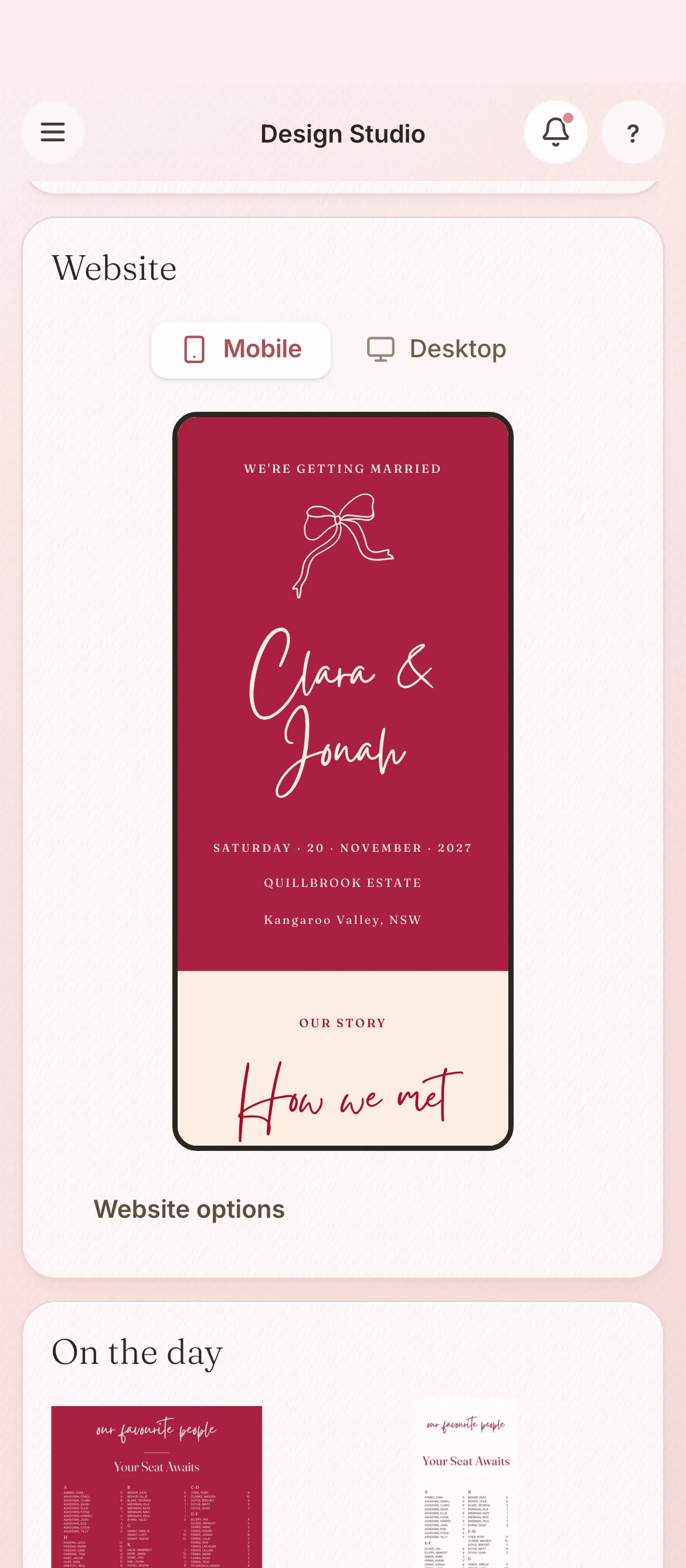
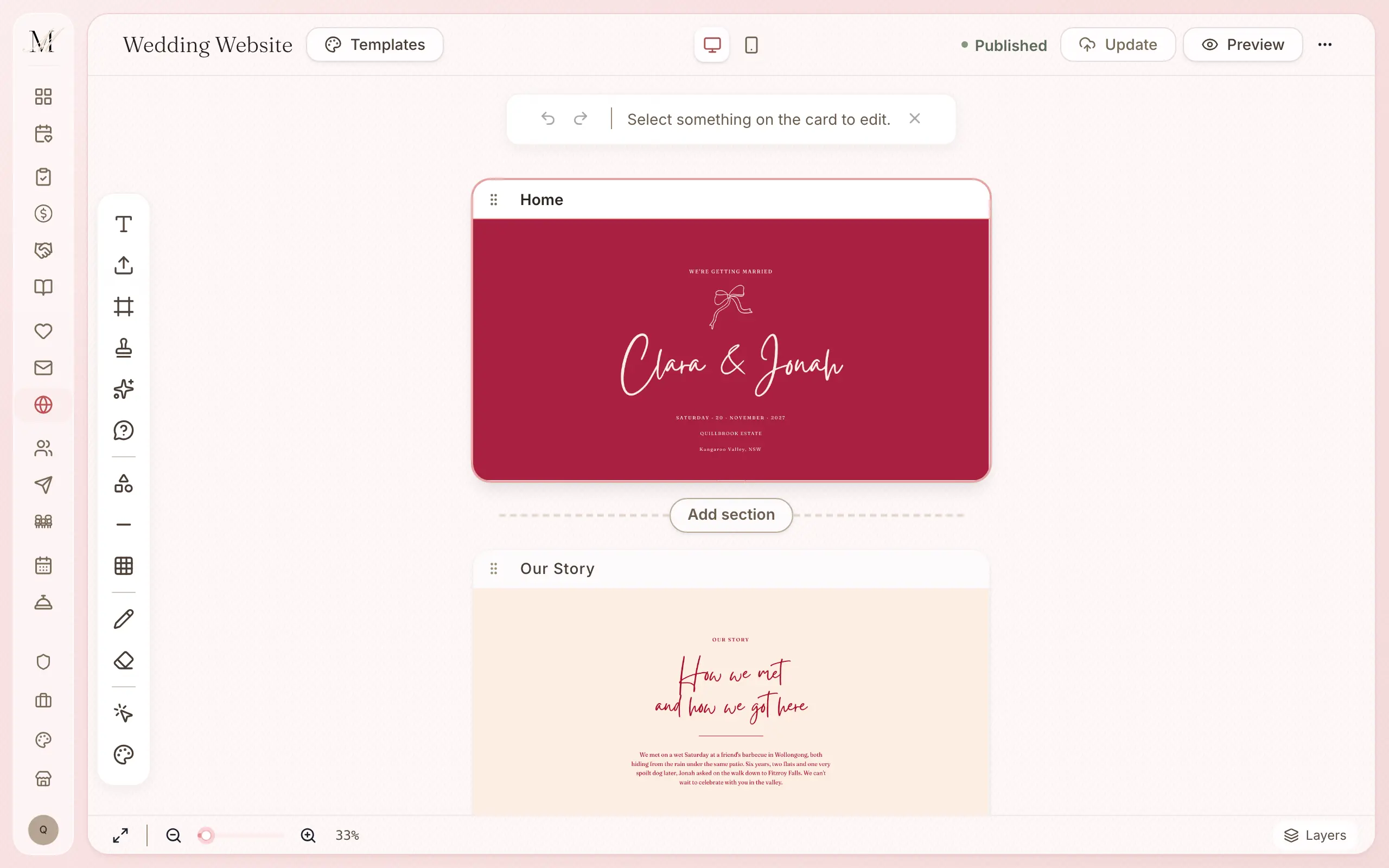
Your address is managingmatrimony.com.au/site/your-names. We do not offer a custom domain or a password.
From a design to a published website.
Choose a design, which can match your invitation.
The colours and type can follow your invitation suite.
Fill in your pages: your story, the events, travel, the registry, the dress code and questions.
Publish it and share one link, and every reply fills in your guest list.
You can publish first and keep adding pages.
An RSVP form, built in.
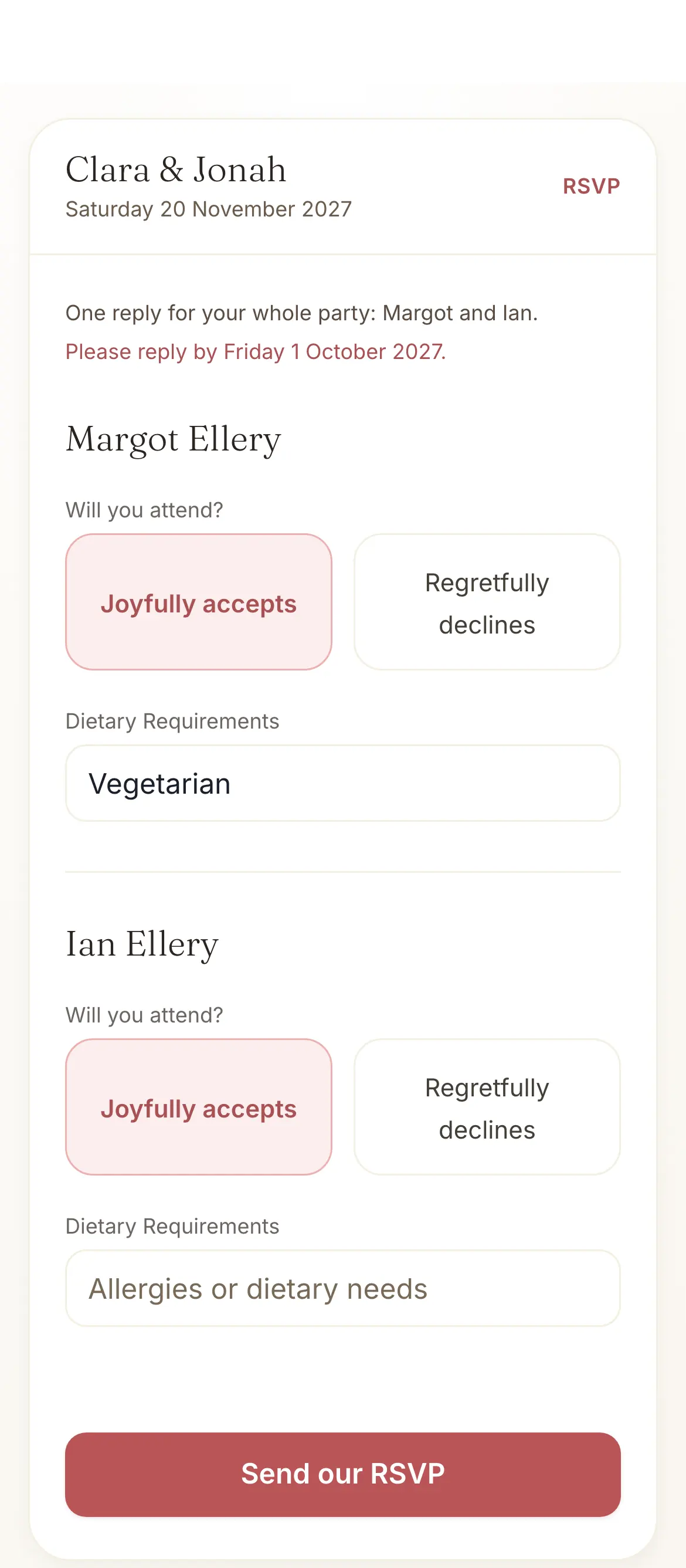
Guests reply on your website, and the answers go straight to your guest list, so you do not need a separate RSVP tool.
- “Will you attend?” is always asked.
- Dietary needs are asked by default.
- You can switch on a song request and a message to you.
- A reply-by date, if you want one.
A QR code on a printed invitation opens the same RSVP page.
Everything the website does.
Every detail your guests might need, on pages they can pull up on the day: your story, the schedule, directions, the registry and the RSVP.
Pages
- Up to nine pages to start: home, our story, events, travel, things to do and where to stay, registry, dress code, questions and RSVP
- Blank pages of your own
- Every event listed: welcome dinner, ceremony, reception, after party
- Travel and accommodation
- Registry links to your favourite stores
Replies
- A built-in RSVP form, synced to your guest list, with no third-party RSVP tool
- Attending and dietary needs asked; a song request and a message optional
- A QR code on a printed card opens the RSVP page
Design and address
- Wedding website templates, made to be read on a phone
- Colours and type to match your invitation suite
- Your own address: managingmatrimony.com.au/site/your-names
- A custom domain and a password are not offered
The website is on every plan.
You can publish your website on any plan. What changes between the plans is the guest list behind it: 100 guests on Free, and no limit on Manage or Elevate.
Free
$0
For up to 100 guests.
Manage
$149, once
For any number of guests, and for sending your invitations and building your run sheet. It was our most chosen paid plan from July to September 2026.
Elevate
$399, once
Adds Memories, a stationery credit, and a review of your run sheet by one of our coordinators.
What each plan holds
Free
- The checklist
- The budget tracker
- Your guest list and RSVPs
- Your wedding website
- The floor plan and table planner
- The vendor directory and your shortlist
- The design studio (printing is priced per order)
- Import and export (CSV and PDF)
Everything in Free, plus
- Unlimited guests
- Save the dates and invitations sent by email and SMS
- Guest updates, reminders and thank-yous
- The run sheet builder
- 150 SMS credits
Everything in Manage, plus
- Memories, a gallery your guests fill with photos and videos
- A $100 stationery credit and free shipping on print orders
- Your run sheet reviewed by one of our coordinators
- 300 SMS credits
Pay once, not a subscription. Prices are in Australian dollars and include GST.
On Free your guest list holds up to 100 guests. To add more, move up to Manage, and everything you have entered stays where it is.
How the website connects to the other tools.
Your guest list
Each reply fills in that guest's row: whether they are coming, and what they eat.
Invitations and save the dates
Your invitation carries the same design, and a link that opens your RSVP page.
Wedding checklist
The checklist reminds you when to build the site and set up its RSVP form.
Common questions about the wedding website.
Is the wedding website builder free?
Yes. Every plan, including Free, has a wedding website with an RSVP form, your story, your registry and your event details. Free holds up to 100 guests. It can be the one link your guests use, from the save the date to the thank-you.
What will my address be?
Your website lives at managingmatrimony.com.au/site/your-names.
Can I use my own domain or a password?
No, not at the moment. Every website lives at its own address on our site, managingmatrimony.com.au/site/your-names.
How does RSVP on the wedding website work?
The RSVP form is built in, so there is no third-party tool. Guests reply on your site and the answers go to your guest list: whether they are coming and their dietary needs, and a song request or a message if you switch those questions on.
Four more questions
What sections are on a Managing Matrimony wedding website?
Most designs start with nine pages: home, our story, events, travel, things to do and where to stay, registry, dress code, questions and RSVP. Some start with fewer. Keep the ones you want, and add blank pages of your own.
How long does it take to build a wedding website?
Choose a design, add your details and publish. You can publish first and keep adding pages as the day gets closer.
Is the wedding website mobile-friendly?
Yes. Every template is made to be read on a phone. Photos scale, and the RSVP form is easy to tap.
Can I customise the colours and fonts?
Yes. Pick your colours and typography to match your invitation suite, so your guests see one design across everything you send them.