
Wedding budget tracker. Know exactly where every dollar goes.
The budget tracker keeps every quote, deposit and final payment against the vendor it belongs to, shows you what is paid and what is still owing, and keeps the receipt with the payment. It is on every plan, including Free. Free covers up to 100 guests; Manage is $149 and Elevate $399, each paid once, not a subscription.
No card to start.
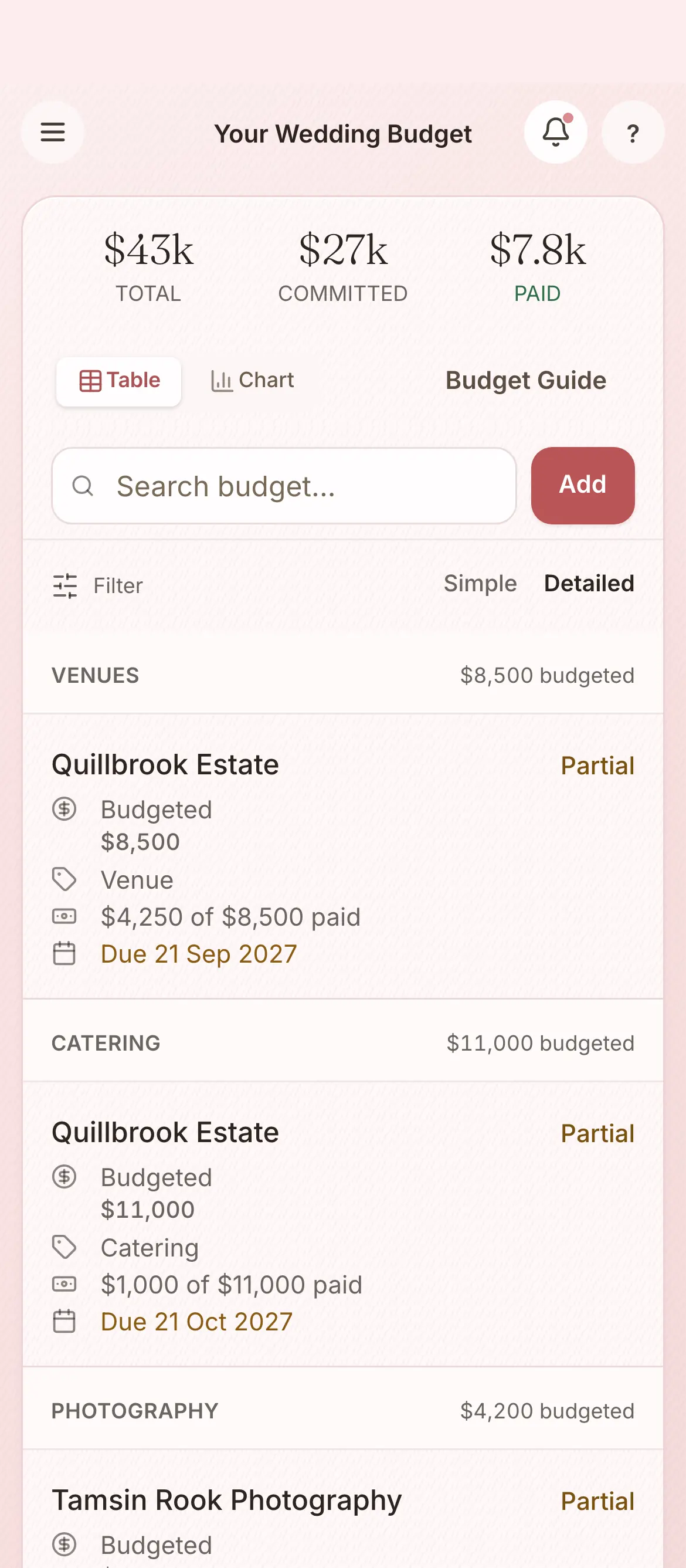
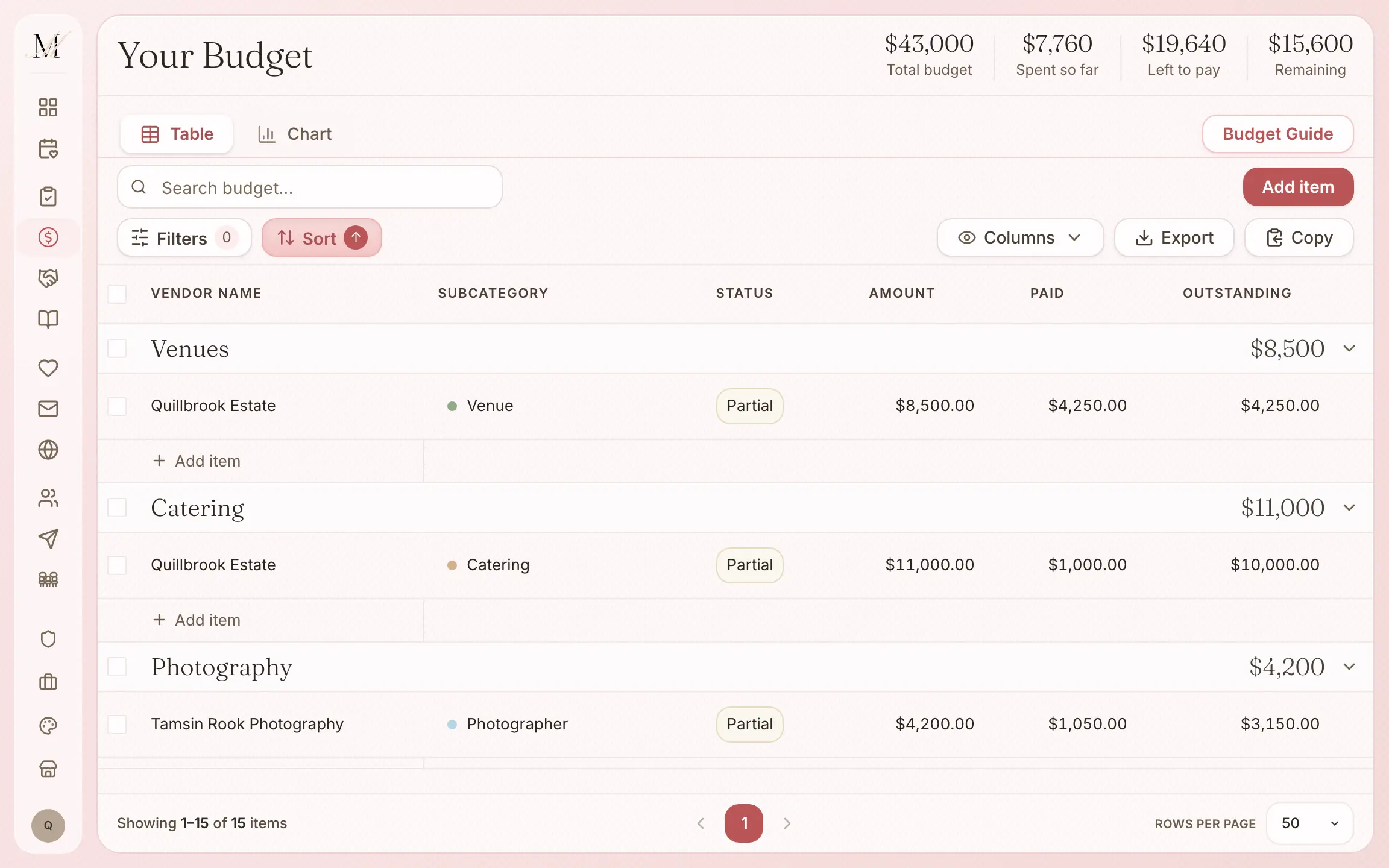
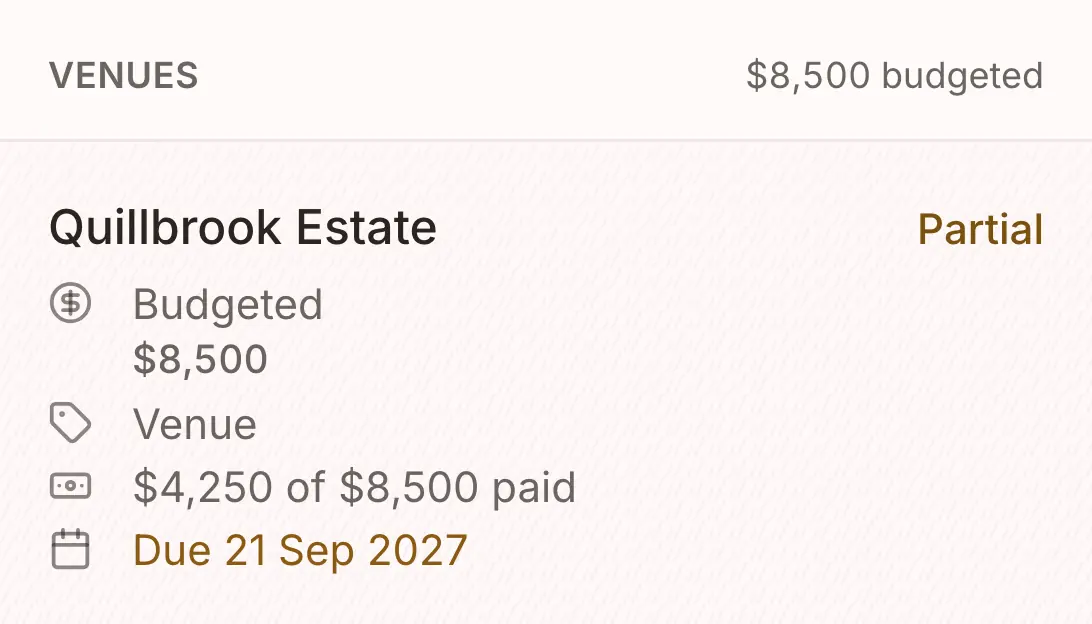
From the first quote to the final payment.
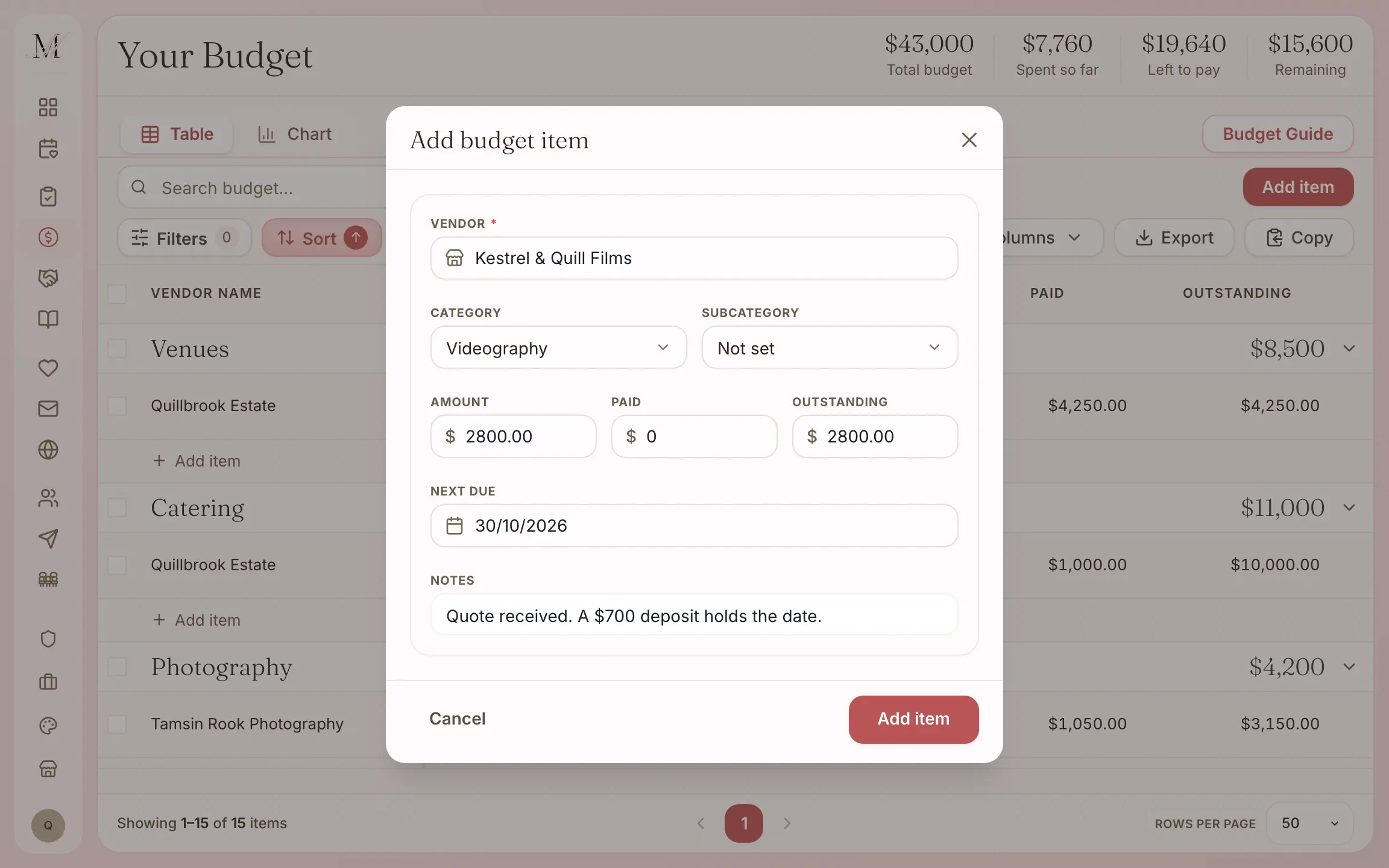
Add each quote against its vendor.
Choose the category and name the vendor, and they join your wedding team as booked.
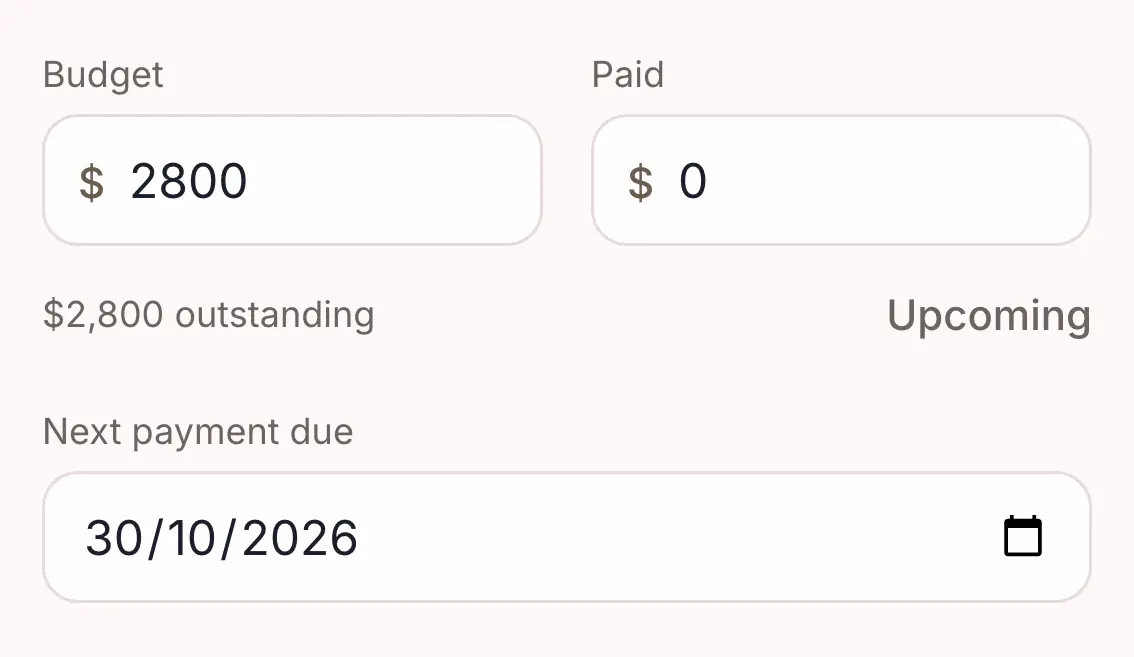
Record the deposit and when the balance is due. The status is worked out for you.
Upcoming, Partial, Paid or Overdue, from the amounts and the dates.
Attach the receipt or the contract to the line.
PDFs, images, Word and Excel files, up to 10 MB each.
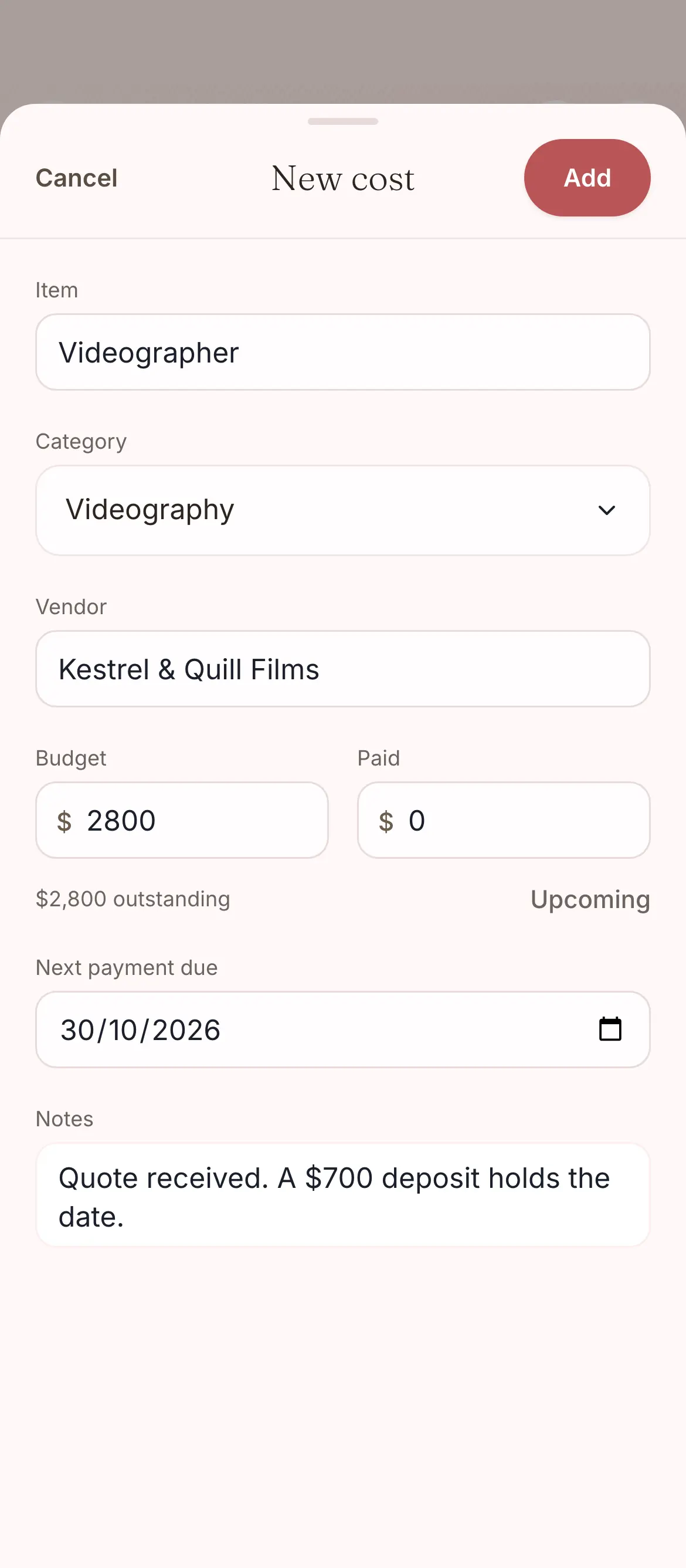
Every payment, against the vendor it belongs to.
Log quotes, deposits and final payments for each vendor. No more wondering whether that one was paid.
- The amount, and what is paid of it.
- The date the next payment is due.
- Notes, and the receipt or contract attached.
- The vendor it belongs to, from your shortlist or the directory.
See where the money is going, at a glance.
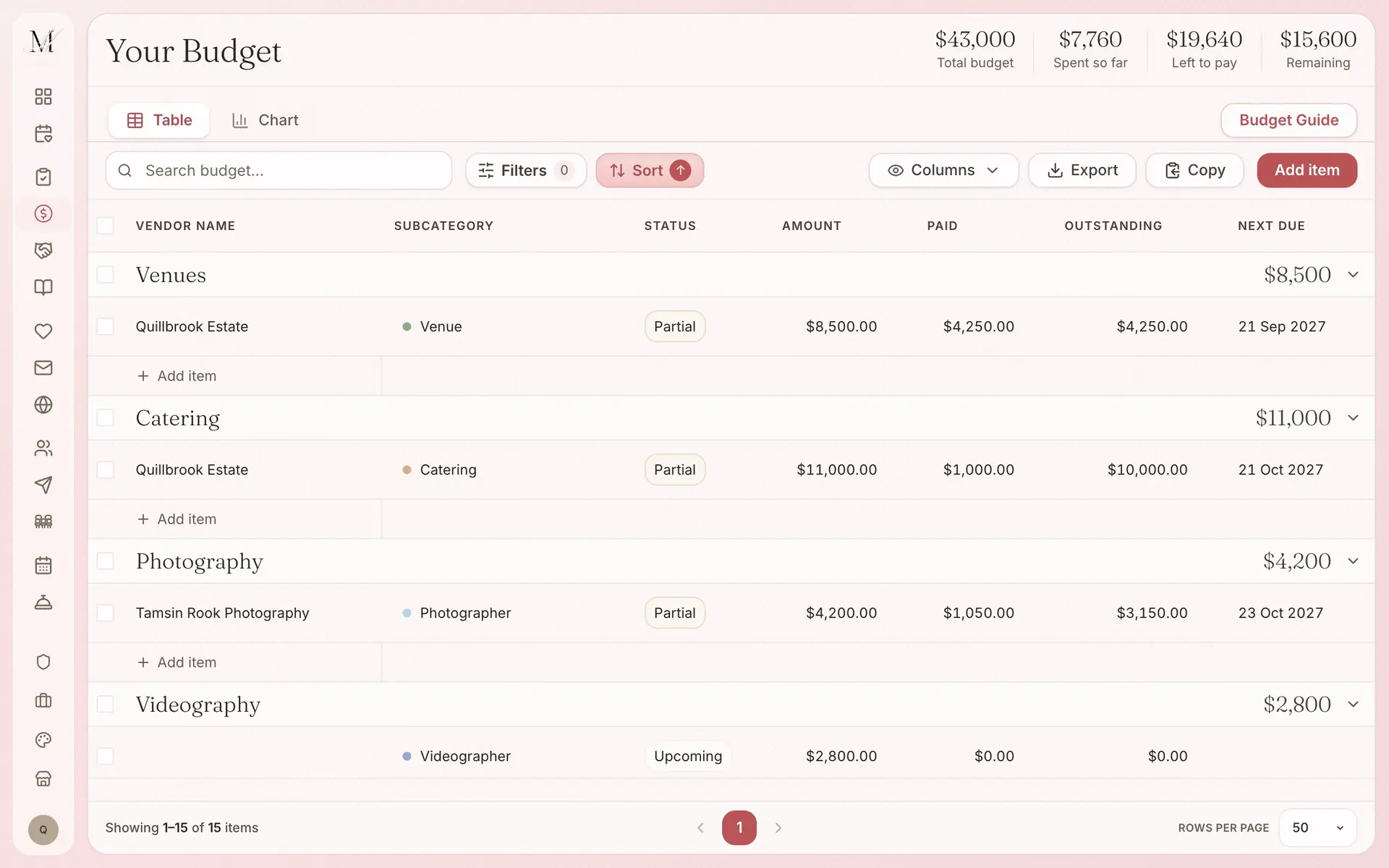
Each category shows what you have budgeted against what you have spent, what is still owing, and where costs are running over. Every line shows one of four statuses.
- UpcomingNothing paid yet, and nothing overdue.
- PartialSome paid, some still owing.
- PaidPaid in full.
- OverdueA payment date has passed with money still owing.
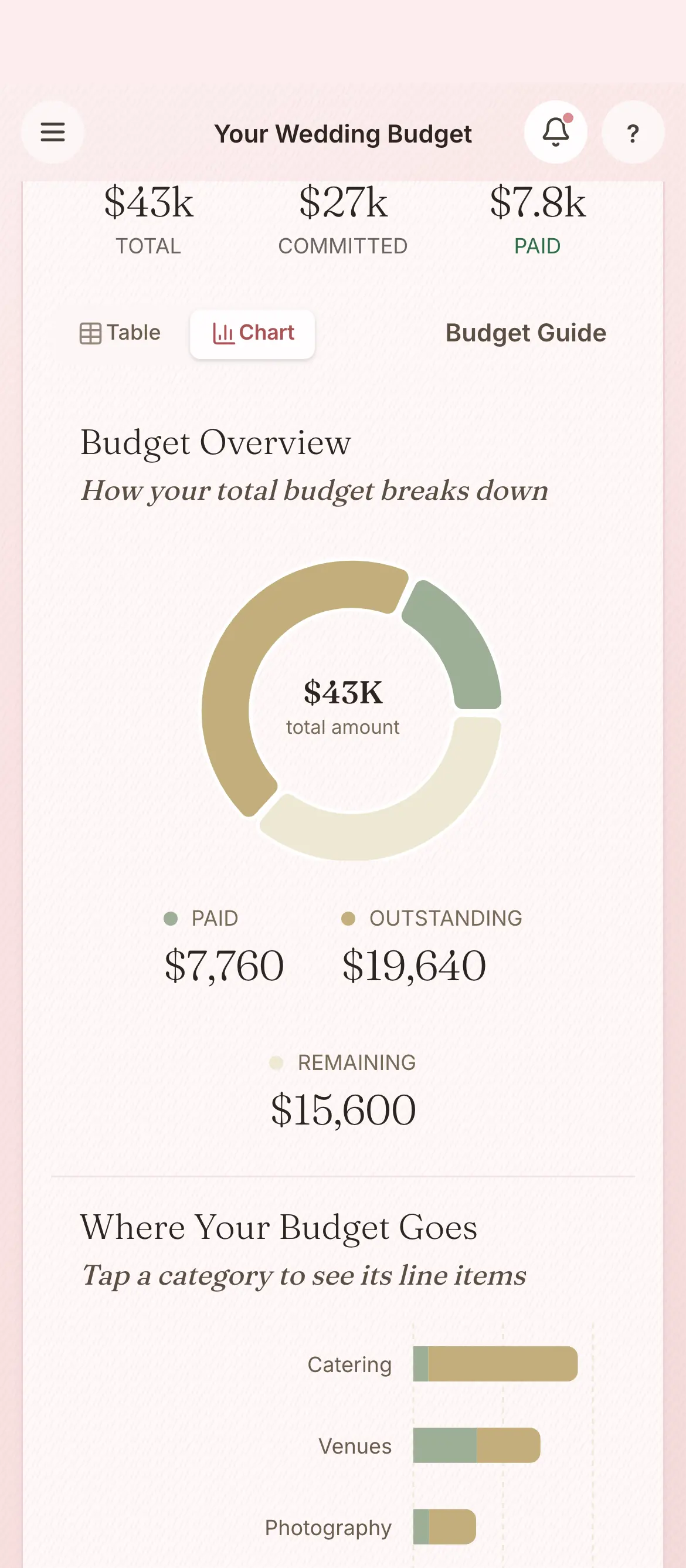
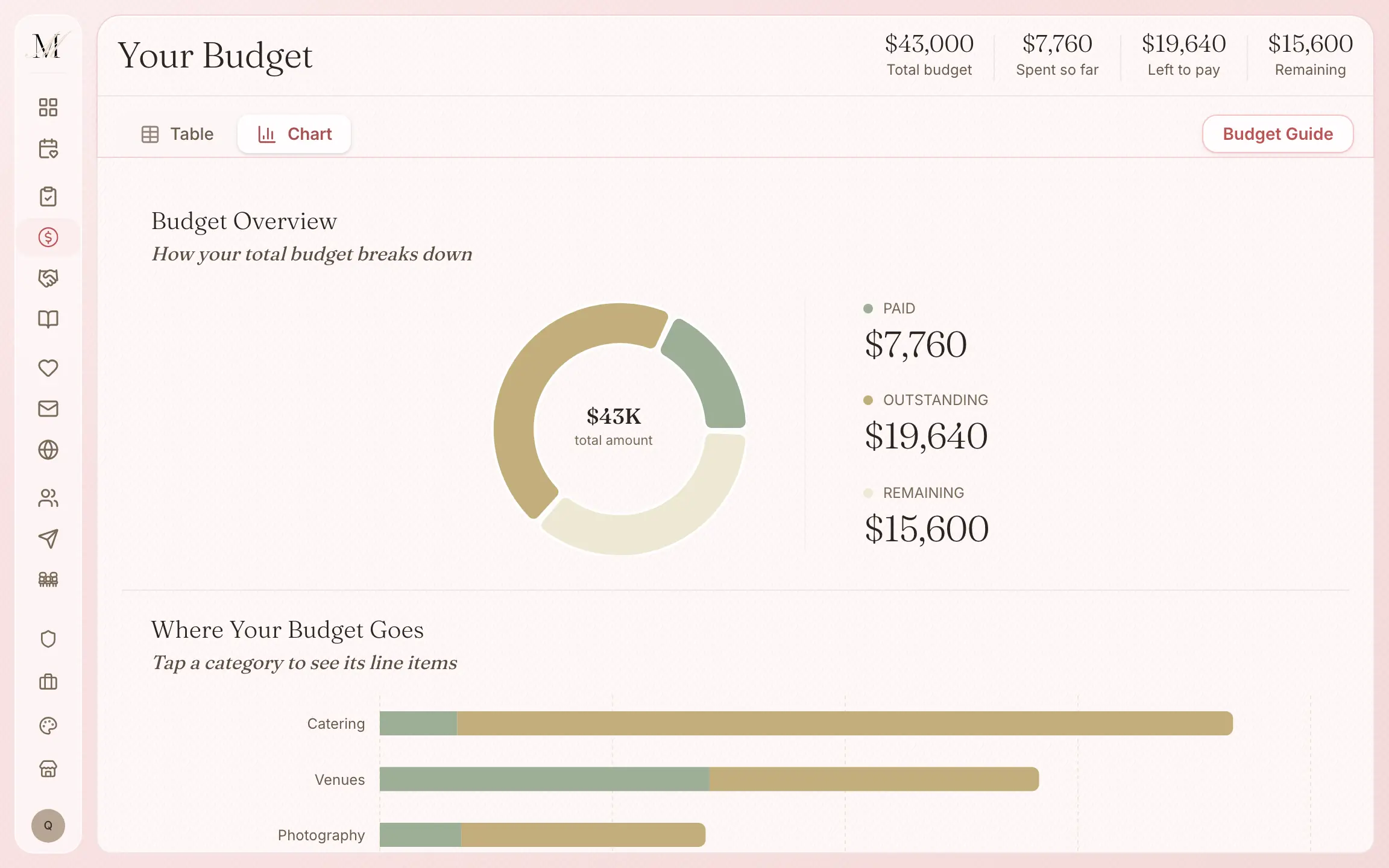
The chart shows what is paid, what is outstanding and what remains in one ring, then each category against its budget in bars.
Your total budget against what you have spent sits at the top of the page.
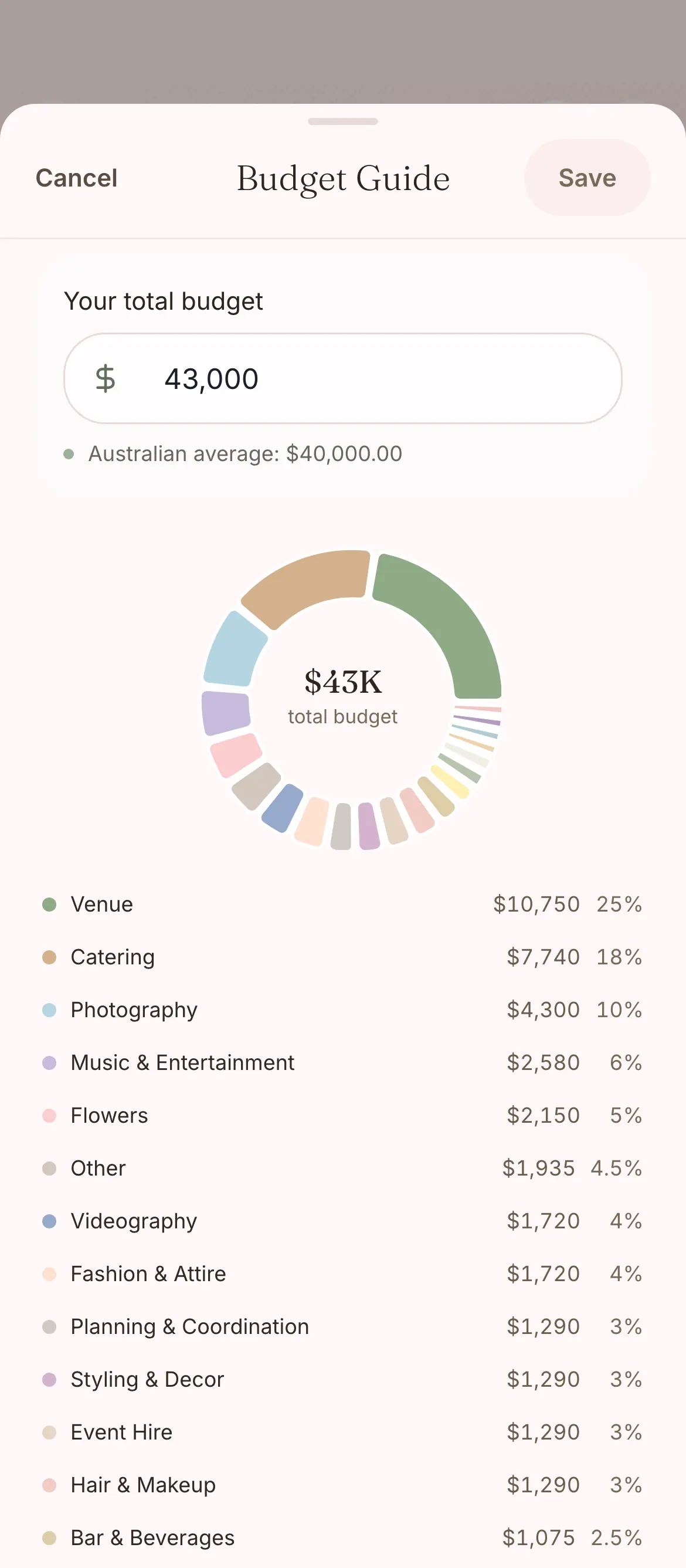
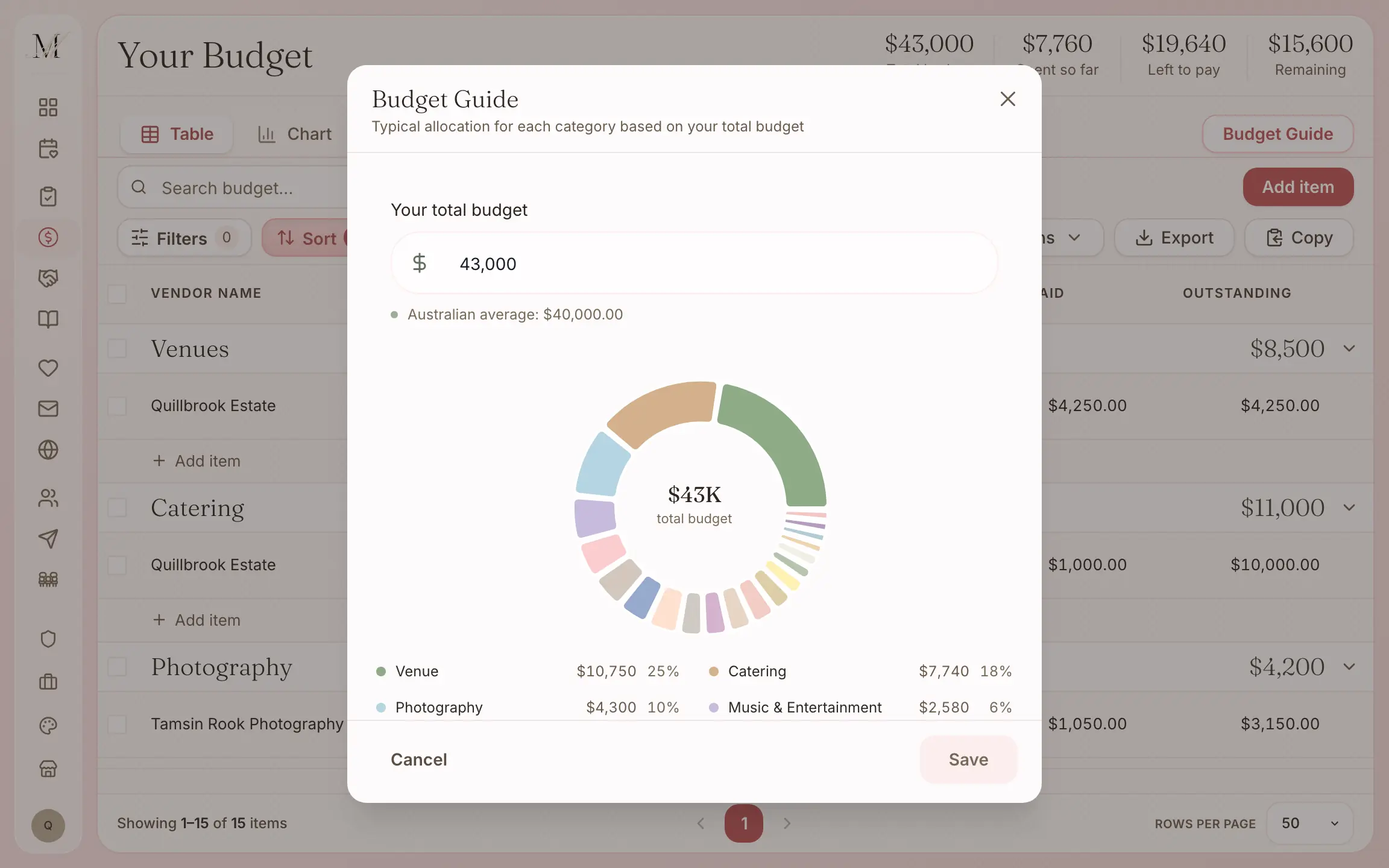
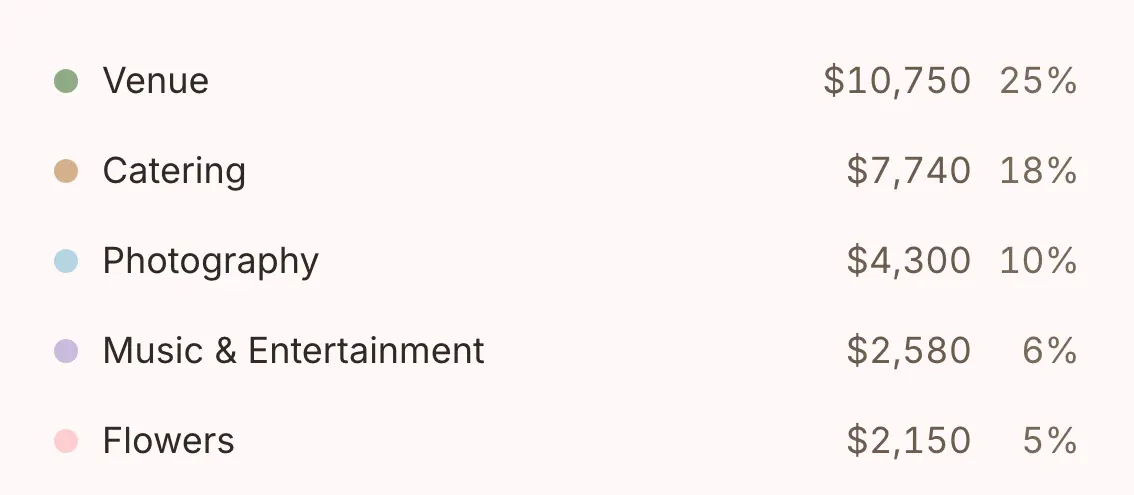
A guide to typical spending, across 20 categories.
Type in your total, and the guide shows what weddings typically spend on each category: the venue, catering, photography and the rest. It is there for reference only, and nothing goes into your budget unless you add it.
If you would like a blank budget you can download without an account, use our budget calculator.
Everything the budget does.
Track every quote, deposit and final balance against the vendor it belongs to, so you can see straight away when something changes.
Tracking
- Your spending by category: the venue, flowers, catering, everything
- Paid, outstanding and remaining, at a glance
- Quotes, deposits and the balance due for each vendor
- A status for each line: Upcoming, Partial, Paid or Overdue
- Add, edit or remove categories to match your wedding
Vendors and paperwork
- Vendors you book appear in the budget
- Each line linked to its vendor, for easy reference
- Notes on any line
- Receipts and contracts attached: PDFs, images, Word and Excel files, up to 10 MB each
Planning
- A guide to typical spending across 20 categories
- Works on a phone
Getting it out
- Export as CSV on the desktop site, or copy it
The budget tracker is on every plan.
The budget tracker is the same on every plan. What changes between the plans is how many guests you can have and whether you can send to them.
Free
$0
For up to 100 guests.
Manage
$149, once
For any number of guests, and for sending your invitations and building your run sheet. It was our most chosen paid plan from July to September 2026.
Elevate
$399, once
Adds Memories, a stationery credit, and a review of your run sheet by one of our coordinators.
What each plan holds
Free
- The checklist
- The budget tracker
- Your guest list and RSVPs
- Your wedding website
- The floor plan and table planner
- The vendor directory and your shortlist
- The design studio (printing is priced per order)
- Import and export (CSV and PDF)
Everything in Free, plus
- Unlimited guests
- Save the dates and invitations sent by email and SMS
- Guest updates, reminders and thank-yous
- The run sheet builder
- 150 SMS credits
Everything in Manage, plus
- Memories, a gallery your guests fill with photos and videos
- A $100 stationery credit and free shipping on print orders
- Your run sheet reviewed by one of our coordinators
- 300 SMS credits
Pay once, not a subscription. Prices are in Australian dollars and include GST.
On Free your guest list holds up to 100 guests. To add more, move up to Manage, and everything you have entered stays where it is.
How the budget connects to the other tools.
Find your vendors
Name the vendor on a cost and they join your wedding team as booked, and when you book a vendor from the directory, a budget line is made for them.
Run sheet
A vendor on a budget line counts as booked, so you can tag them on a moment in the run sheet.
Your guest list
Your guest list counts who is coming, which is the number a per-head catering quote is built on.
The budget calculator
No account yet? Start a budget without signing up.
Common questions about the budget tracker.
How do I track wedding payments?
Log each vendor's quote, deposit and final balance against its category. Each line's status (Upcoming, Partial, Paid or Overdue) is worked out from the amounts and the due dates, and the totals budgeted, spent and still to pay sit at the top.
Does the budget link to my vendors?
Yes. Every budget line can be linked to a vendor from your shortlist or our directory of Australian wedding vendors, so your budget, your vendors and their paperwork live in one place instead of three different tools.
Is there a budget template to start from?
Yes. The budget guide shows typical spending across 20 categories. If you would like a blank template you can download without an account, use our budget calculator.
Two more questions
Can I attach receipts and invoices?
Yes. Upload PDFs, images, Word and Excel files, up to 10 MB each, against any budget item. Each one stays with the payment it belongs to, so when your florist asks for the quote back in May, it is one tap away.
Can I export my budget?
Yes. Export a CSV on the desktop site, or copy the table, for your records or your accountant. It holds the categories, the amounts, what is paid and each status.