
Wedding day run sheet software. Your wedding day, minute by minute.
The run sheet is your wedding day, line by line. Answer a few questions and a first draft is written for you (our sample wedding came to 76 moments). Change any of its times, give each moment to a person or a vendor, and download a PDF. It comes with Manage ($149) and Elevate ($399), each paid once.


From a few questions to a PDF for every vendor.
Answer a few questions: the ceremony time, photographs, speeches, the first dance, the vendors you have booked.
One short step at a time, from the shape of your day (which parts you are having, and when each starts and ends) to getting ready and travel, hair and make-up, the reception and the moments you want.


A first draft is written for you, and you can change any time, add notes and add your own moments.
Change the ceremony or reception time and that part of the day re-flows; lock a moment to keep it where it is.
Download a PDF for everyone, or one for each vendor.
The copy for everyone lists each vendor with their contact details.
What a first draft looks like.
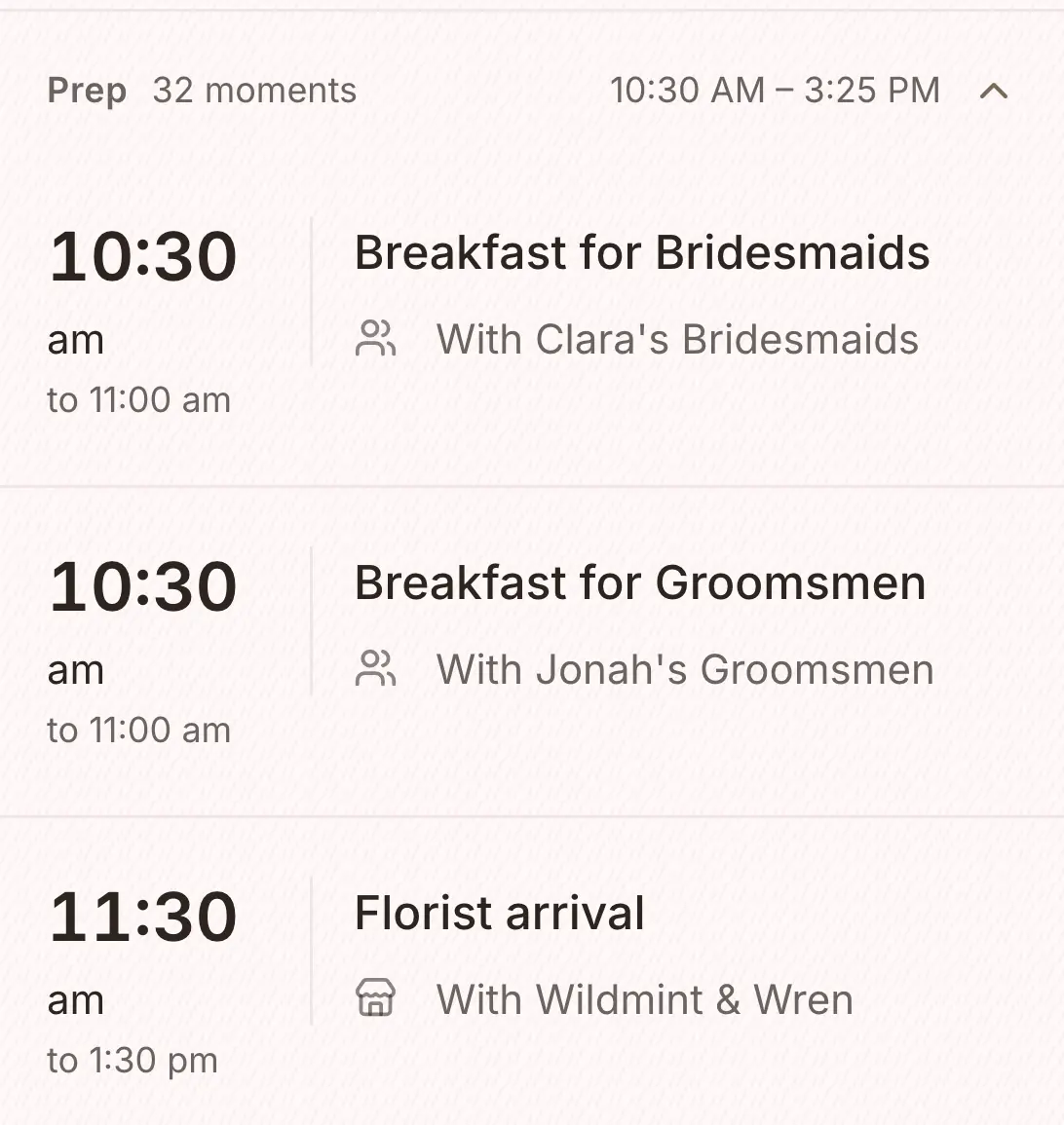
Clara and Jonah's draft, the wedding in these screens: a Saturday at Quillbrook Estate, a 3.30 pm ceremony. These are ten of its 76 moments, around the ceremony.
- 3.00 pmGuests arrive for ceremony
- 3.15 pmGuests seated
- 3.25 pmGroom and groomsmen aisle walk
- 3.30 pmCeremony to commence
- 3.32 pmBridesmaids aisle walk
- 3.35 pmBride aisle walk
- 3.50 pmExchanging of rings
- 3.55 pmCertificate signing
- 4.00 pmCeremony ends
- 4.10 pmFlowers repurposed into reception
Our free run sheet template is a draft just like this one, written for its own example wedding (a 4 pm ceremony and 100 guests). You can download it as a PDF and a CSV without an account.
Change any moment you like.
Every moment can be changed: its time, where it happens, who is involved and a note. The details at the top of the PDF, the date, the places and the key times, are yours to set too.


A copy for each vendor.
Download the run sheet for everyone, or a copy for one vendor or one role with only their moments. Each copy opens with the day at a glance and the wedding party, and the copy for everyone also lists your vendors with their contact details.


The run sheet starts with Manage.
The run sheet is not on Free. Manage includes it, and with Elevate one of our coordinators reviews yours before the day. We built it to be a day-of run sheet that thinks like a coordinator, because we run weddings from the same run sheet ourselves.
If you would like one of us to run the day from it, on-the-day coordination starts from $1,800 inc. GST in Sydney and regional NSW, and includes Manage ($149).
Free
$0
For up to 100 guests.
Manage
$149, once
For any number of guests, and for sending your invitations and building your run sheet. It was our most chosen paid plan from July to September 2026.
Elevate
$399, once
Adds Memories, a stationery credit, and a review of your run sheet by one of our coordinators.
The draft
- Answer a few questions and your run sheet builds itself
- Our sample wedding has 76 moments; yours depends on your answers
- Getting ready, the ceremony, cocktail hour and the reception
- Hair and make-up times for each person
- Speeches and the first dance
- Vendor arrival and set-up times
- The vendors on your team switch on their own moments in the first draft
Changing it
- Change the ceremony or reception time and that part of the day re-flows
- Lock a moment to keep it where it is
- Give each moment to the couple, the wedding party or any vendor you have booked
- Add your own moments and notes
Getting it out
- A print-ready PDF for your vendors and your coordinator
- A PDF for one vendor or one role, with only their moments
- The PDF for everyone lists each vendor with their contact details
- A CSV, on the desktop site
- There is no share link: you download the PDF and send it
- With Elevate, one of our coordinators reviews it
What each plan holds
Free
- The checklist
- The budget tracker
- Your guest list and RSVPs
- Your wedding website
- The floor plan and table planner
- The vendor directory and your shortlist
- The design studio (printing is priced per order)
- Import and export (CSV and PDF)
Everything in Free, plus
- Unlimited guests
- Save the dates and invitations sent by email and SMS
- Guest updates, reminders and thank-yous
- The run sheet builder
- 150 SMS credits
Everything in Manage, plus
- Memories, a gallery your guests fill with photos and videos
- A $100 stationery credit and free shipping on print orders
- Your run sheet reviewed by one of our coordinators
- 300 SMS credits
Pay once, not a subscription. Prices are in Australian dollars and include GST.
On Free your guest list holds up to 100 guests. To add more, move up to Manage, and everything you have entered stays where it is.
The tools it works with
Common questions about the run sheet.
Is the connected runsheet included on the Free plan?
No. The run sheet comes with Manage and Elevate, and Manage is $149 AUD, paid once, GST included. If you only need a starting point, you can download our free run sheet template as a PDF and a CSV without creating an account.
How does the runsheet wizard work?
Answer a few questions about your day: the ceremony time, the reception, speeches, the first dance and the vendors you have booked. A first draft is written from your answers, across getting ready, the ceremony, cocktail hour and the reception. Our sample wedding comes to 76 moments.
Three more questions
Can I share the runsheet with vendors?
Yes, as a PDF. Download it from the run sheet and send it, so the photographer, celebrant, coordinator and caterer see the same document. A PDF can be made for one vendor or one role, and the PDF for everyone lists each vendor's contact details, so everyone has each other's numbers on the day.
Can I edit the generated runsheet?
Yes. Every moment can be changed: its time, how long it lasts, notes, and who it belongs to. Change the ceremony or reception time and that part of the day moves with it; a locked moment stays where you put it. Moving an ordinary moment moves only that moment.
Can I add custom moments?
Yes. Add anything particular to your wedding, such as a tea ceremony, welcome drinks, a baraat, a first look, a sparkler exit or a surprise dance, with its time and who it belongs to. Your own moments sit in the timeline with the rest.