
Wedding planning checklist. Everything you need to do, exactly when you need to do it.
Our wedding checklist has more than 200 tasks in eleven stages, from the week you get engaged to the month after your wedding, and our coordinators wrote every one of them. Set your wedding date and each task gets its own due date, counted back from the day. It is on every plan, including Free. Free covers up to 100 guests; Manage is $149 and Elevate $399, each paid once, not a subscription.
No card to start.
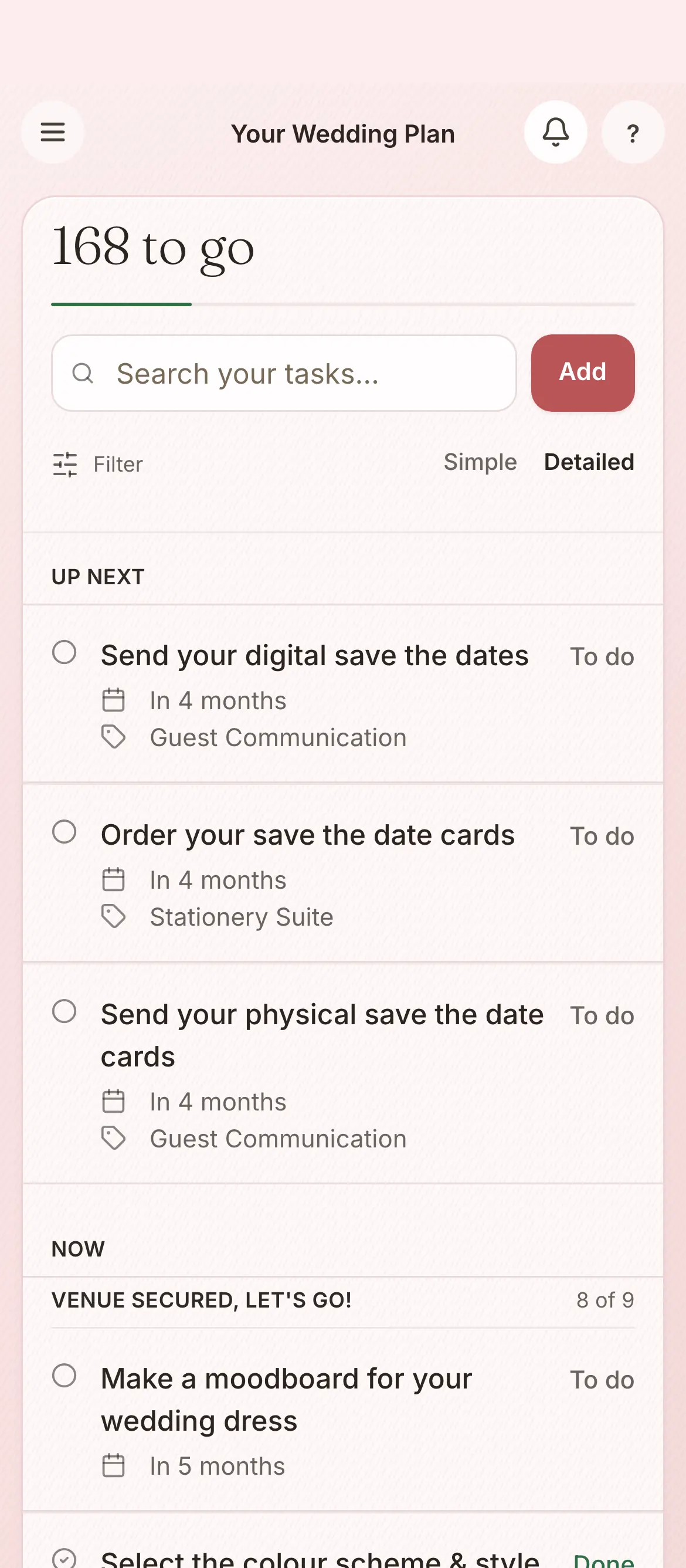
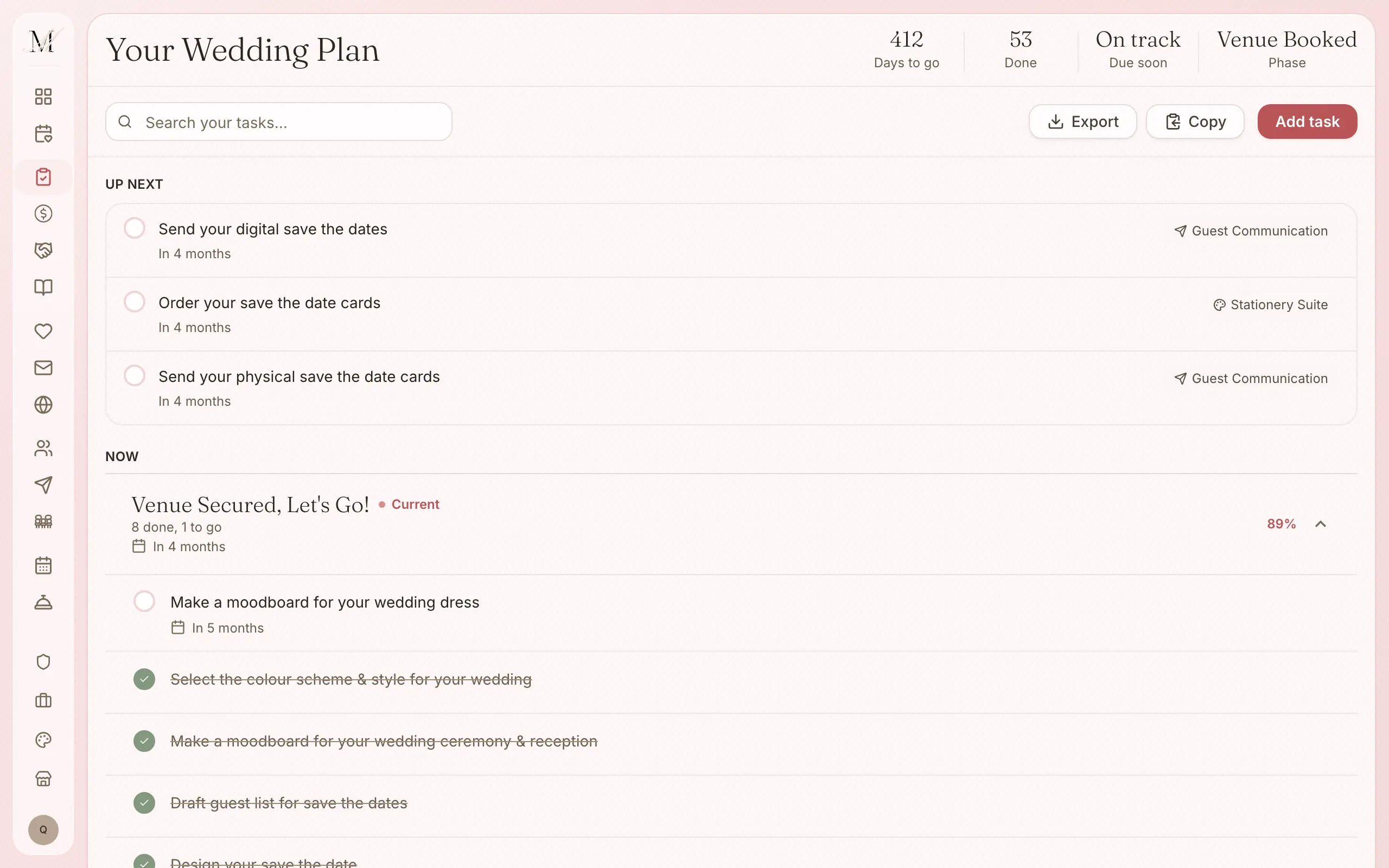
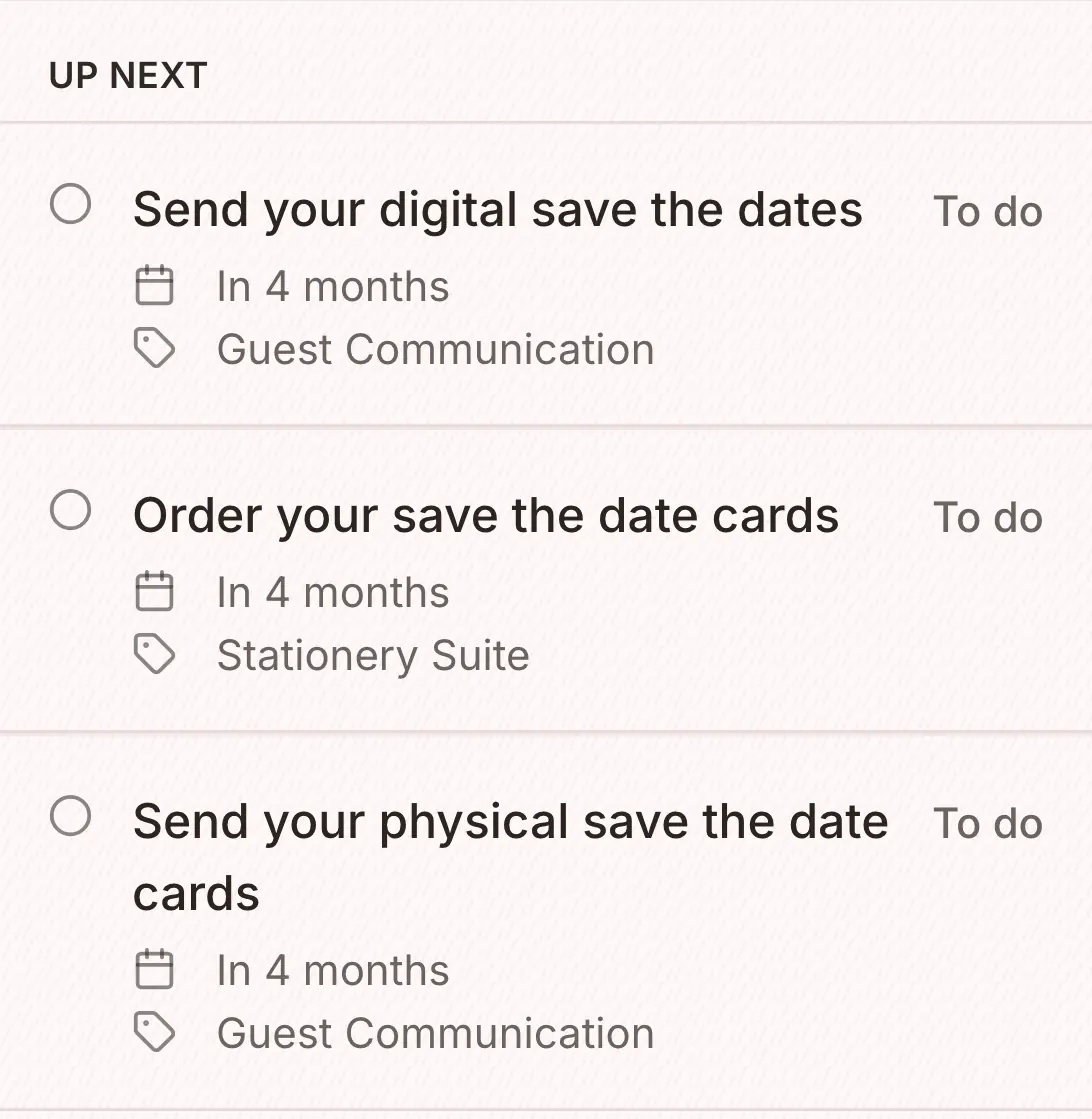
Eleven stages, from the week you get engaged to the month after.
These are the eleven stages of the checklist, in order. The number beside each one is how many tasks it holds, and the checklist moves you from one stage to the next as your wedding gets closer.
- 8You're engaged, now what?The week you get engaged
- 9Let's find a venue12 months or more before the wedding
- 12Venue secured, let's go10 months or more before
- 37Time to assemble your dream team8 months or more before
- 22Let's lock in6 months or more before
- 26Next steps4 to 6 months before
- 33Getting real3 months before
- 48Go-timeThe last month
- 6Countdown is onThe week before
- 9The night beforeThe day before the wedding
- 11Post-weddingThe month after
That is more than 200 tasks in all, written by the coordinators who run our weddings, so the things that get forgotten are in there: lodging your Notice of Intended Marriage with your celebrant, confirming your photographer's arrival time, and sending the final run sheet to every vendor.
Set your date, and the checklist does the rest.
Enter your wedding date, and every task gets a due date.
Each one is counted back from your wedding day, so you always know what is coming up next.
Work through the stage you are in. If a task needs one of the tools, it opens it for you.
A budget task opens the budget, a guest task opens the guest list, and a stationery task opens the design studio.
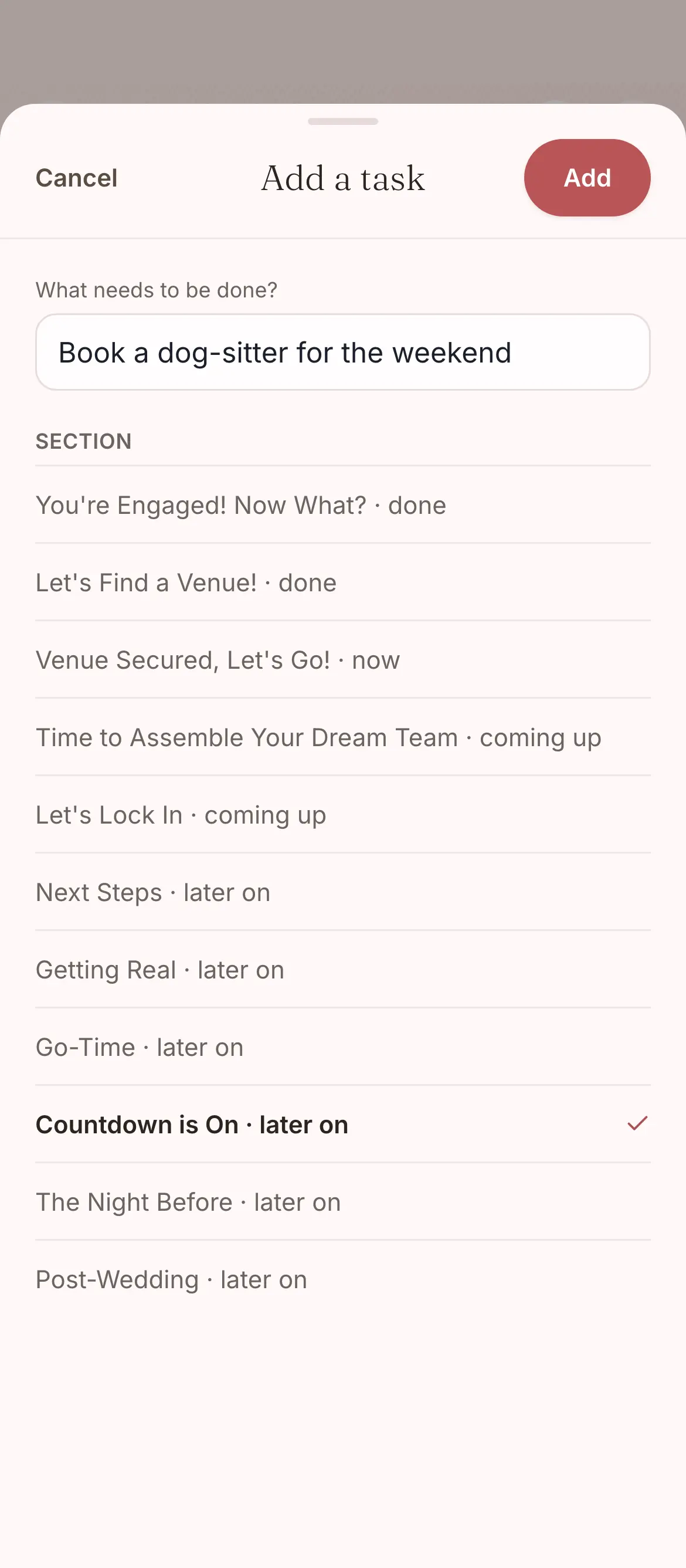
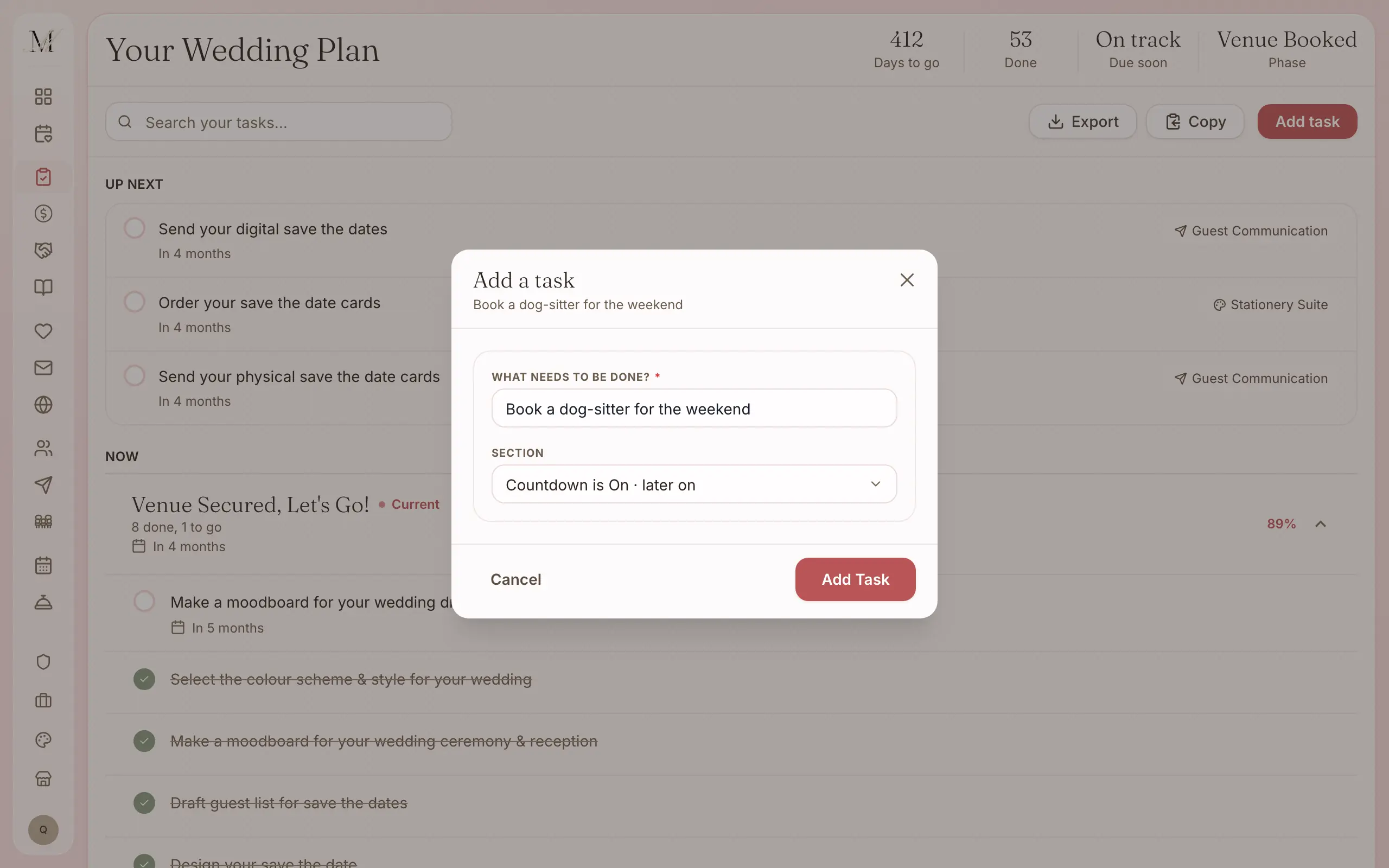
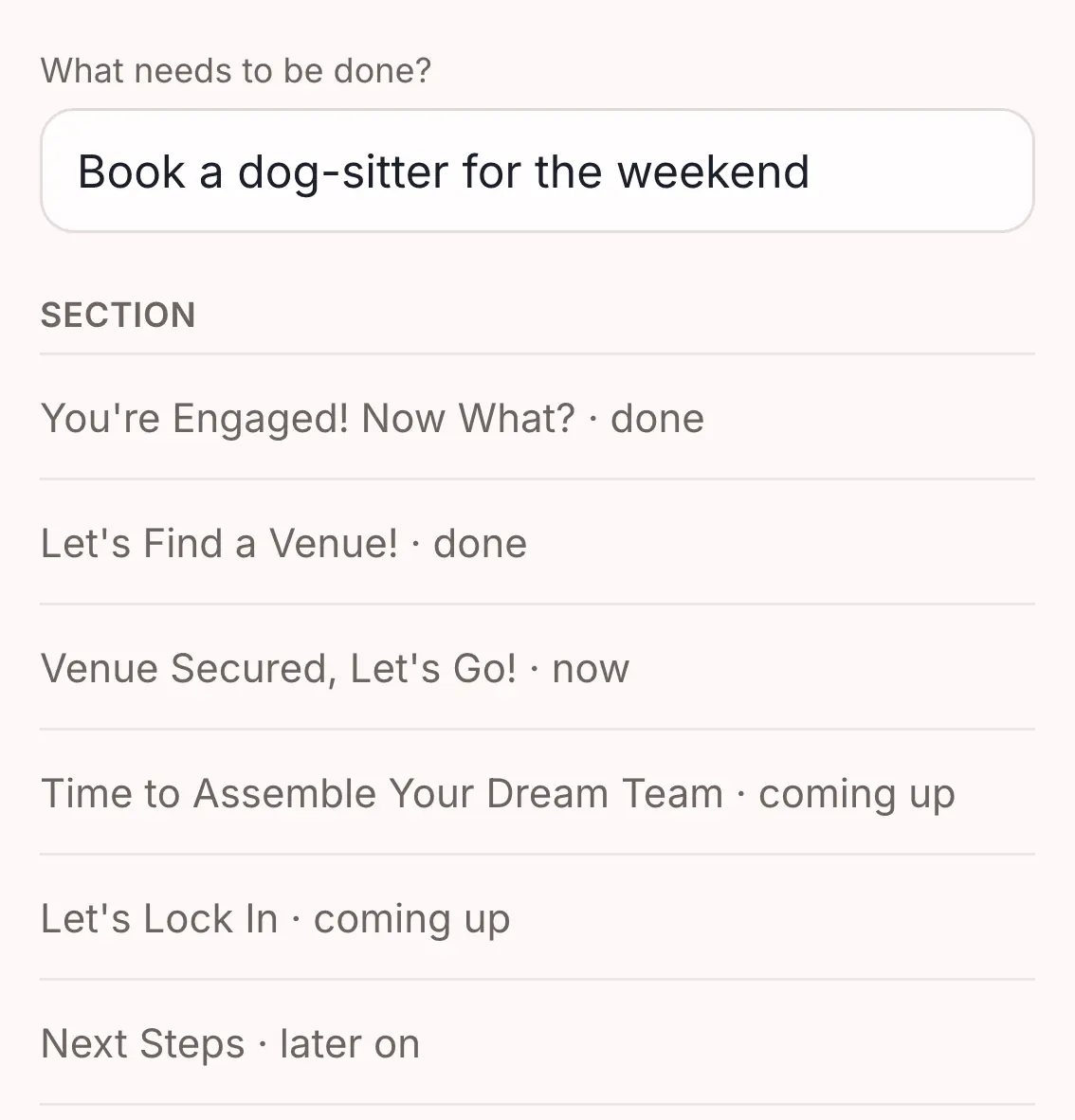
Add your own tasks for the things only you would know about.
A tea ceremony, a bridesmaids' brunch, someone to mind the dog. They count towards your progress like everything else.
Due dates in friendly words.
A task that is behind says “Catch up” or “Ready when you are”, never “Overdue”. The checklist is there to help you keep track, not to tell you off.
- Due dates read Due recently, This week, Catch up, This month, or Ready when you are.
- Every stage shows whether it is done, under way, coming up or later on, and you can add a task to any of them.
- You can see how far through each stage you are, and how far through the whole list.
Everything the checklist does.
Written by the same team that coordinates weddings across Sydney and regional NSW, and used on every one of them.
The list
- More than 200 tasks in eleven stages
- Written by our coordinators
- From the week you get engaged to the month after the wedding
- The marriage paperwork, including lodging your Notice of Intended Marriage with your celebrant
Working through it
- Due dates counted back from your wedding date
- Tasks that need a tool open it for you: the budget, the design studio, the run sheet, guest messages, the guest list and vendors
- Due dates in plain words: Due recently, This week, Catch up, This month, Ready when you are
- Your own tasks, for anything particular to your day
- Progress for each stage, and a filter by stage
- Progress for the whole list
Getting it out
- Export it as a CSV on the desktop site, or copy it
The checklist is on every plan.
Every stage and every task is on Free, for up to 100 guests. The only tasks that need a paid plan are the run sheet ones, because the run sheet builder is part of Manage.
Free
$0
For up to 100 guests.
Manage
$149, once
For any number of guests, and for sending your invitations and building your run sheet. It was our most chosen paid plan from July to September 2026.
Elevate
$399, once
Adds Memories, a stationery credit, and a review of your run sheet by one of our coordinators.
What each plan holds
Free
- The checklist
- The budget tracker
- Your guest list and RSVPs
- Your wedding website
- The floor plan and table planner
- The vendor directory and your shortlist
- The design studio (printing is priced per order)
- Import and export (CSV and PDF)
Everything in Free, plus
- Unlimited guests
- Save the dates and invitations sent by email and SMS
- Guest updates, reminders and thank-yous
- The run sheet builder
- 150 SMS credits
Everything in Manage, plus
- Memories, a gallery your guests fill with photos and videos
- A $100 stationery credit and free shipping on print orders
- Your run sheet reviewed by one of our coordinators
- 300 SMS credits
Pay once, not a subscription. Prices are in Australian dollars and include GST.
On Free your guest list holds up to 100 guests. To add more, move up to Manage, and everything you have entered stays where it is.
Tasks that open the other tools.
Budget tracker
The money tasks, from setting a rough budget to paying the florist's balance, take you to the budget tracker.
Run sheet
When it is time to confirm your photographer's arrival time, or send the final run sheet to your vendors, the task opens the run sheet.
Your guest list
Following up late replies and confirming your final numbers take you straight to the guest list.
Common questions about the wedding checklist.
How many tasks are included in the wedding checklist?
More than 200, in eleven stages, from the week you get engaged to the month after your wedding. They cover deposits and vendor check-ins, the catering tasting, the marriage paperwork, final numbers for your vendors, and the small handovers on the day that nobody thinks of until they are missed.
Does the checklist adjust to my wedding date?
Yes. Every task's due date is counted back from your wedding date, so the list is always about your wedding, not a typical one.
Is the wedding checklist free?
Yes. The whole checklist, all eleven stages, is on every plan, including Free. Tasks that open a tool work on every plan too. The one exception is the run sheet: the run sheet builder is part of Manage, so a run sheet task on Free will ask you to move up first.
Three more questions
Can I add my own tasks?
Yes. Add anything particular to your day, such as a tea ceremony, a bridesmaids' brunch, writing your vows or booking someone to mind the dog, in whichever stage it belongs. Your own tasks work exactly like the built-in ones: they show on your dashboard and count towards your progress.
What happens if I miss a task?
Nothing bad. A task that is behind says “Catch up” or “Ready when you are”, not “Overdue”, because nobody needs a checklist telling them off. It waits in its stage until you get to it, and the rest of your planning keeps moving.
Can I get my information out?
Yes. On every plan the guest list, budget and checklist export as CSV, and the seating plan as a PDF. The run sheet exports with Manage. Exports are on the desktop site.