
Wedding guest list and RSVPs. Know who's coming, what they need and where they're sitting.
Your guest list holds every guest with their household, their RSVP and their dietary needs, and it is the one list your website, invitations, seating plan and place cards all read from. It is free for up to 100 guests. Manage ($149, paid once) removes the limit and lets you send your save the dates and invitations by email and SMS.
No card to start.
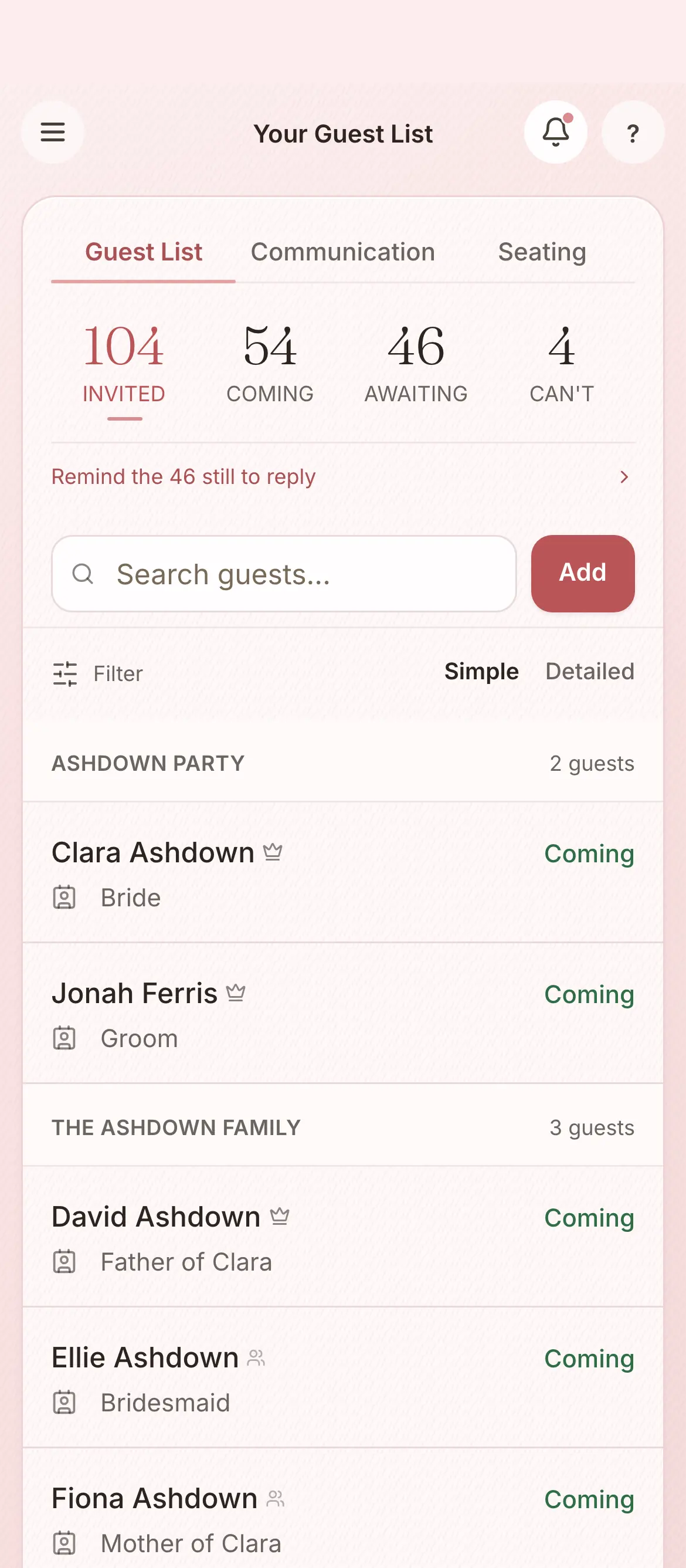
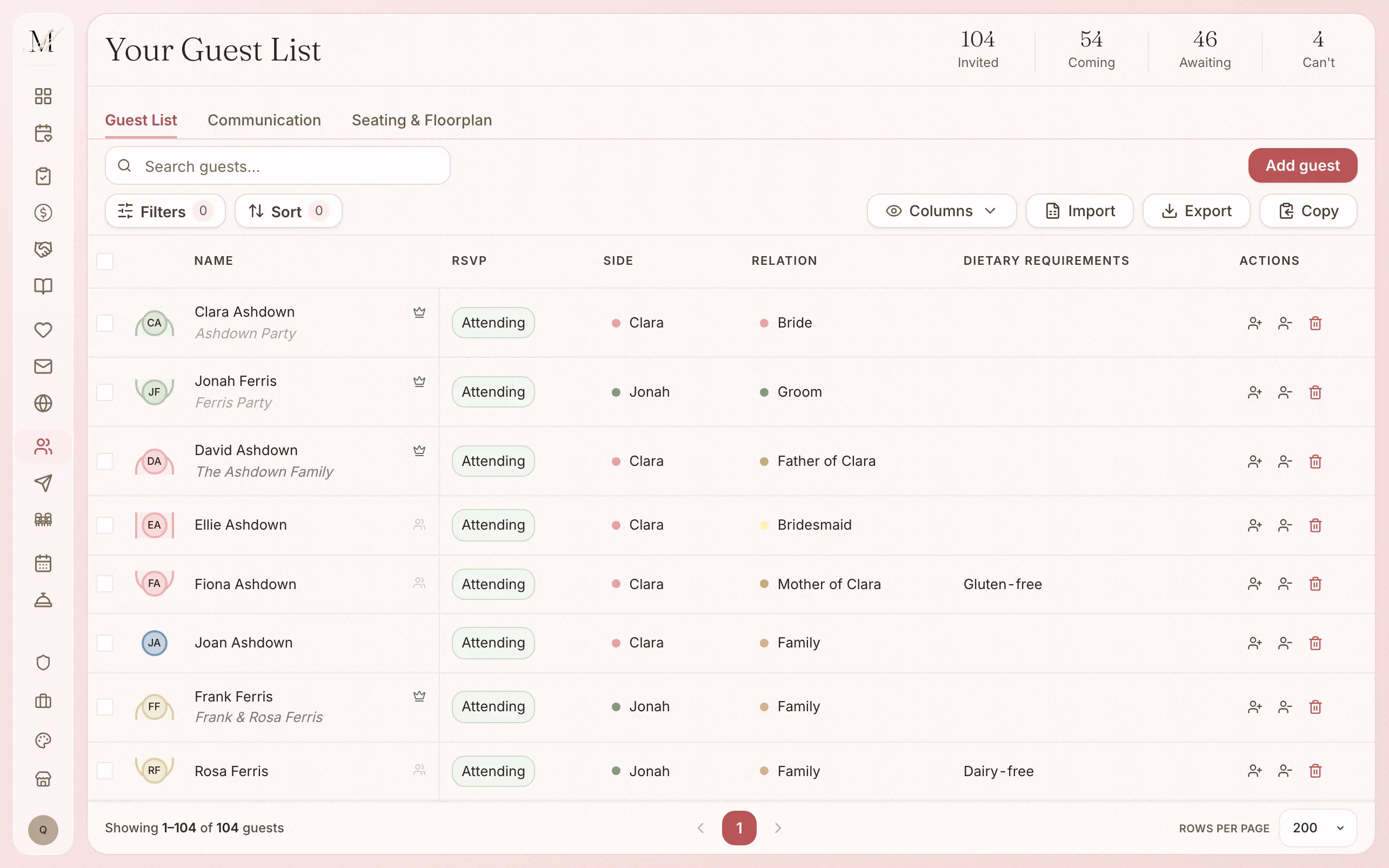
How the guest list works.
Import a spreadsheet, or add guests one at a time.
Upload a CSV or Excel file and match its columns: names, email, phone, RSVP status, side, relation, address, age group, dietary needs, notes and groups.
Group your guests into households. Replies and dietary needs fill in as guests respond.
Each guest's table comes from the seating plan, so nobody is entered twice.
Send save the dates, invitations, updates and thank-yous from the same list.
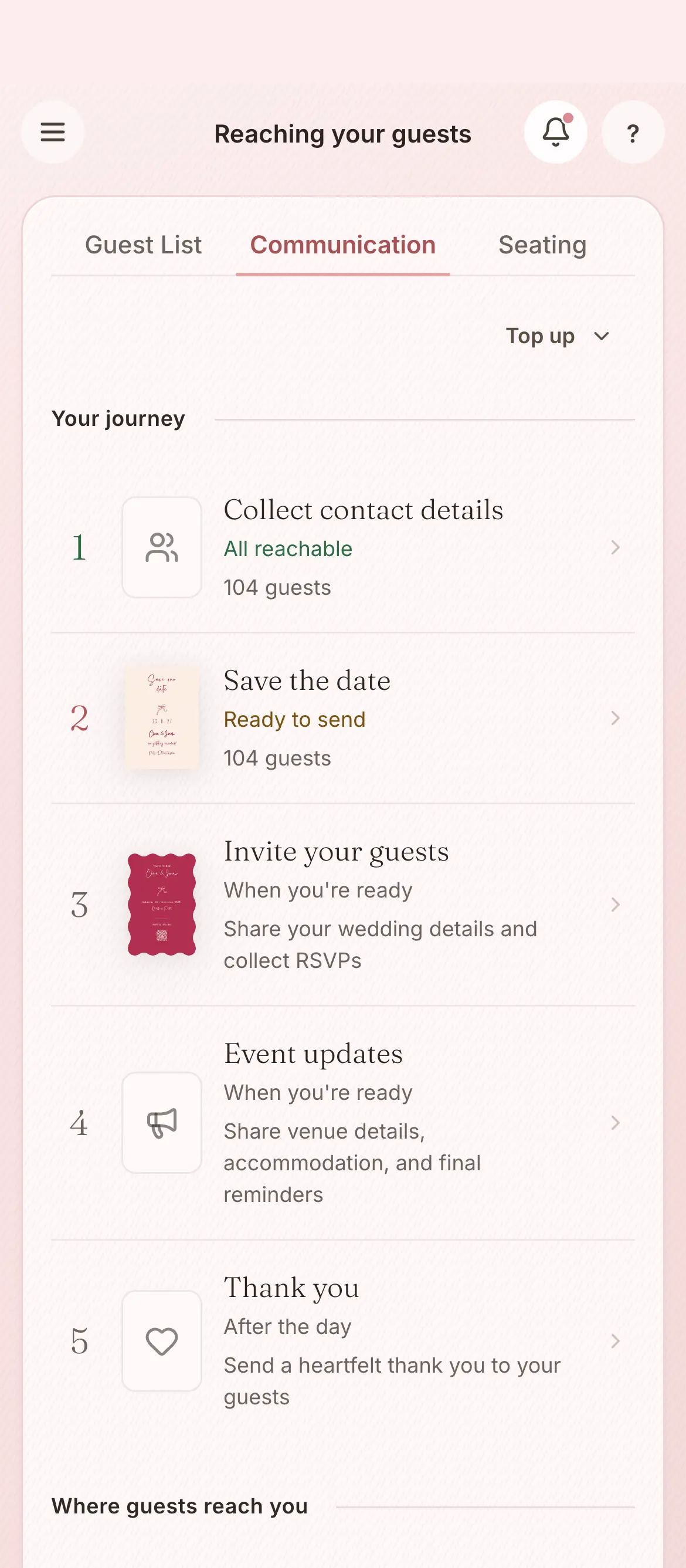
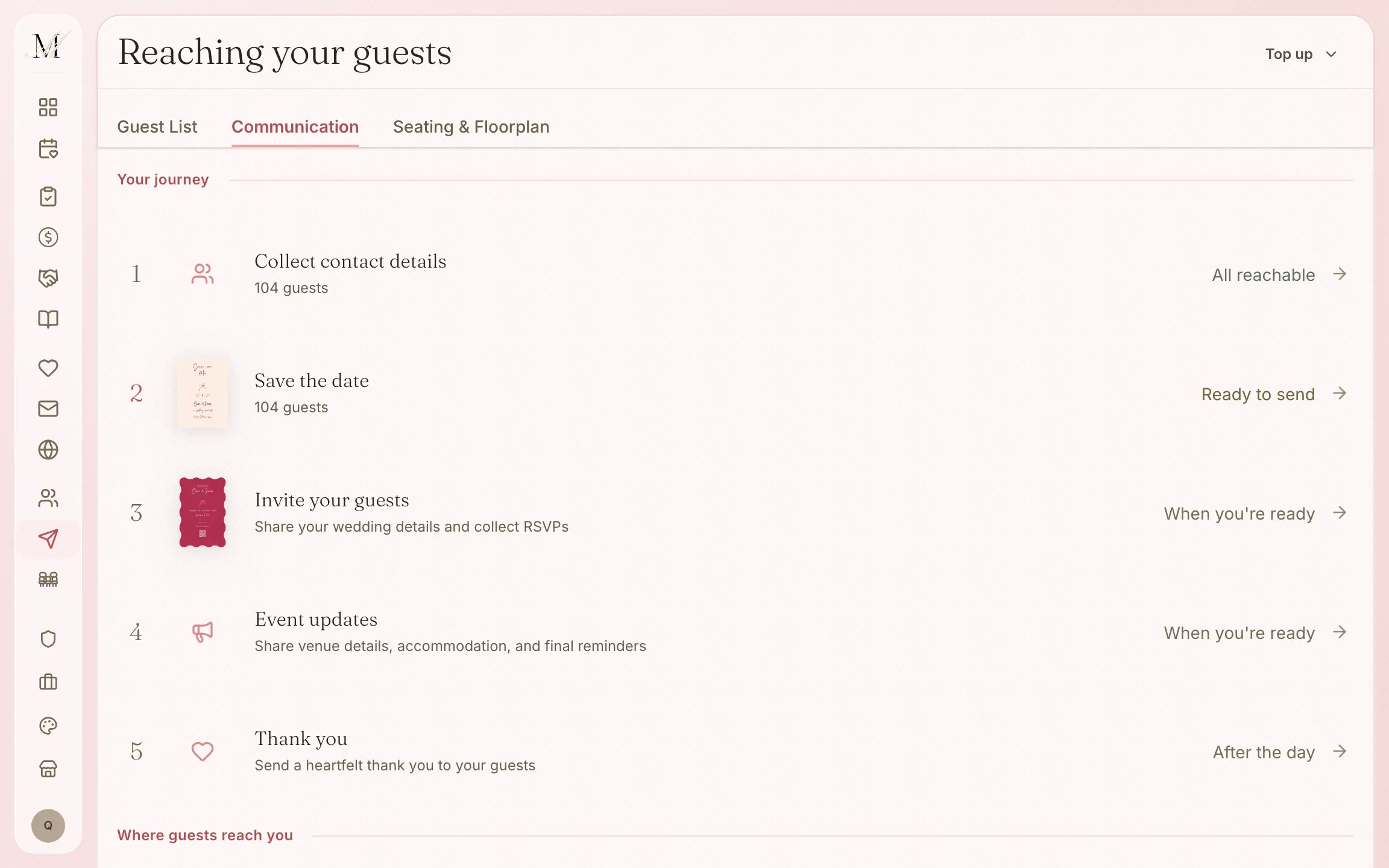
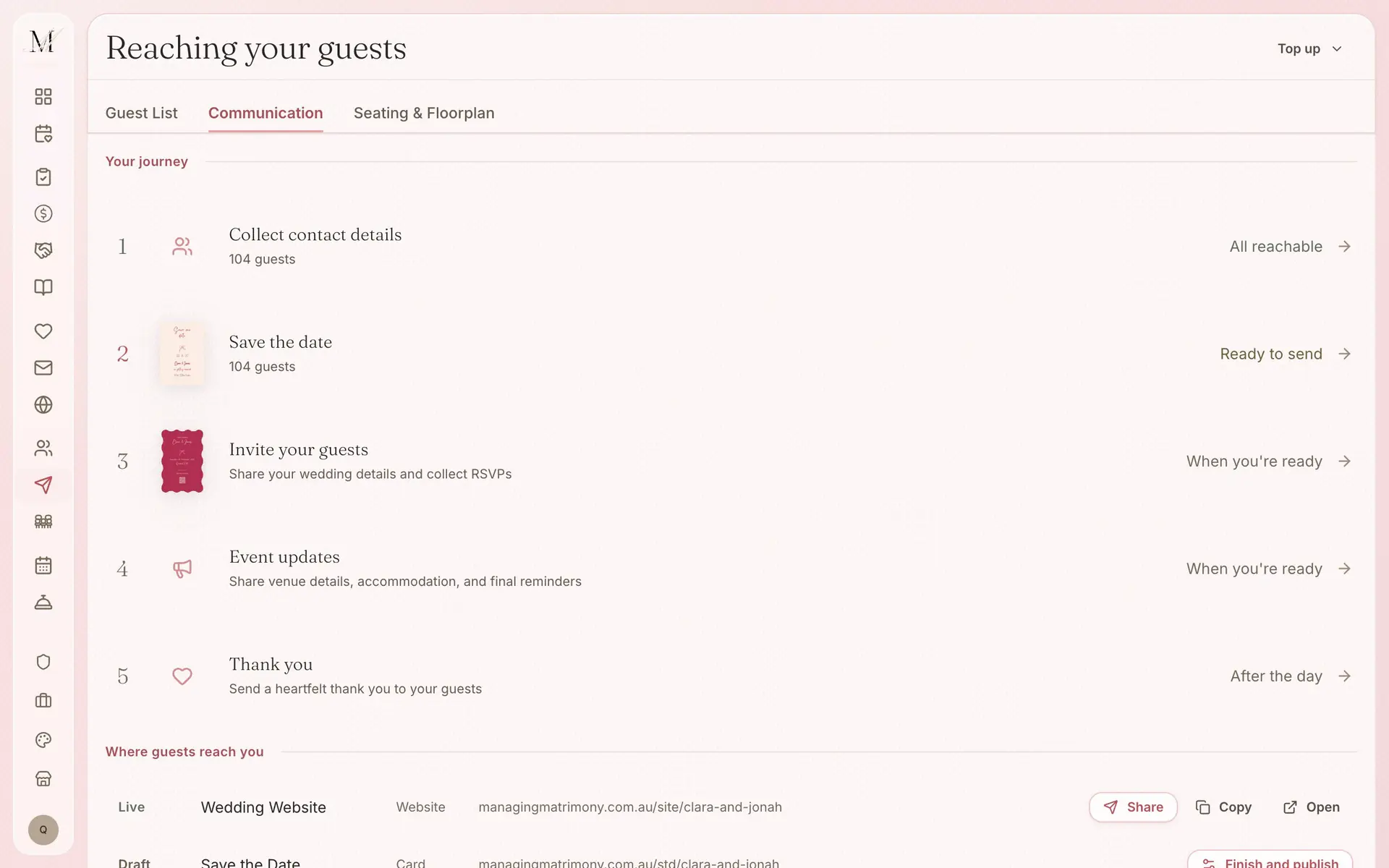
By email and SMS, in five steps. Sending is part of Manage.
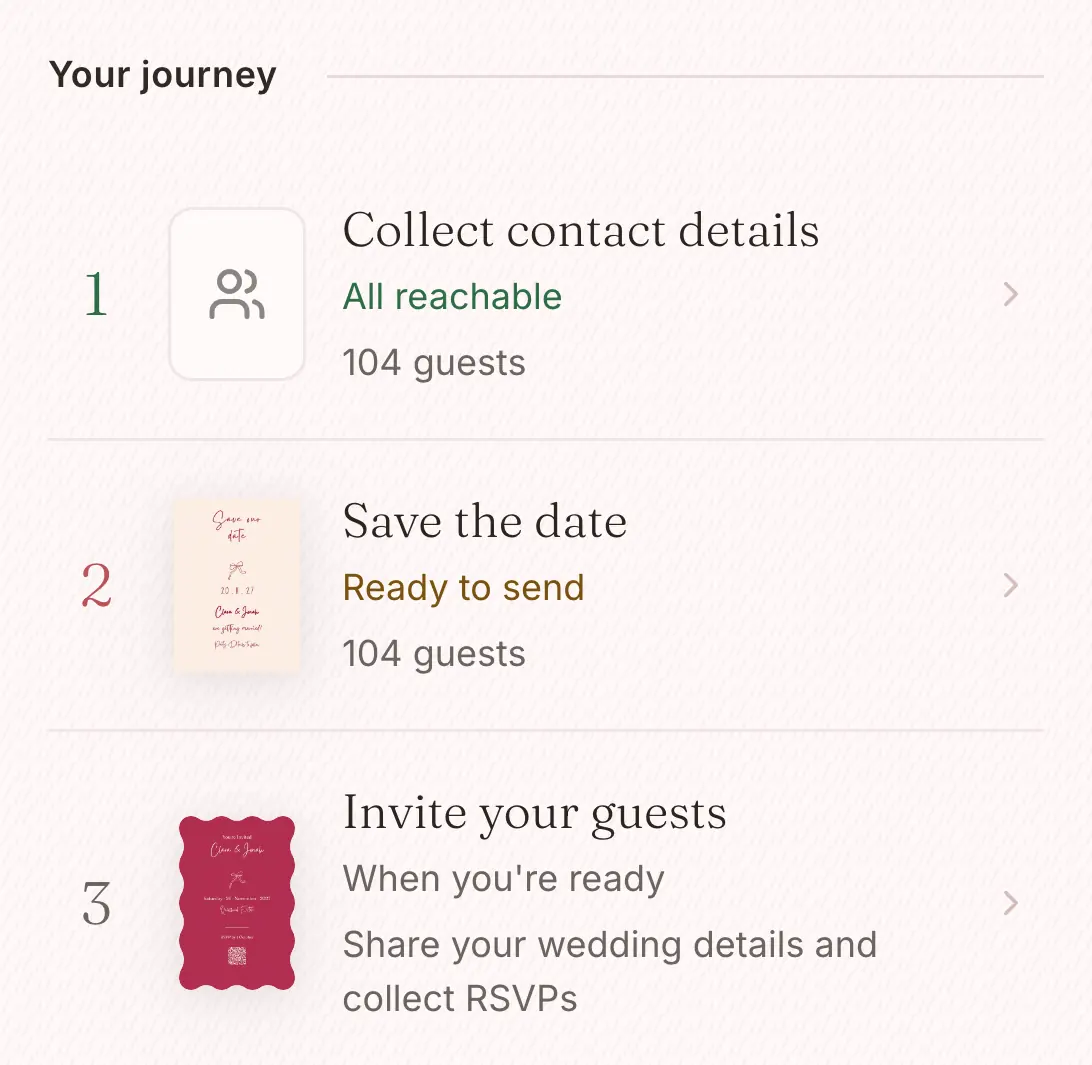
Five steps, from save the date to thank you.
The platform walks you through every message your guests need: collecting their contact details, the save the date, the invitation and its replies, the updates before the day, and the thank-you. You can always see who has heard from you and who hasn't.
- Each message is written for you, ready to edit.
- Each one greets your guests by name and carries the link they need.
- See who has replied, and send a reminder to those who have not.
- Send by email and SMS. Manage includes 150 SMS credits and Elevate 300, and you can buy more from $19 for 100.
Sending is part of Manage. On Free you can still share your website's link and its QR code yourself.
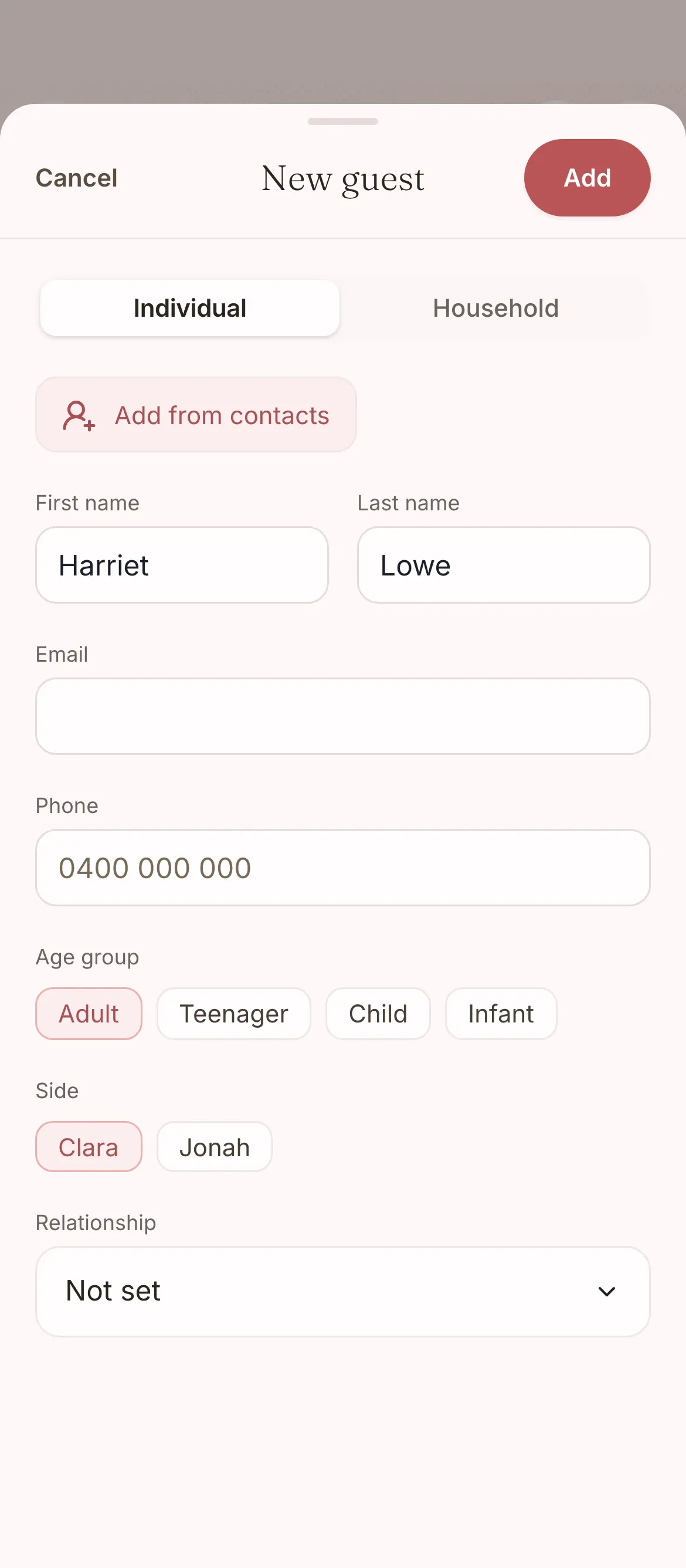
Adding a guest, and what they answer when they reply.
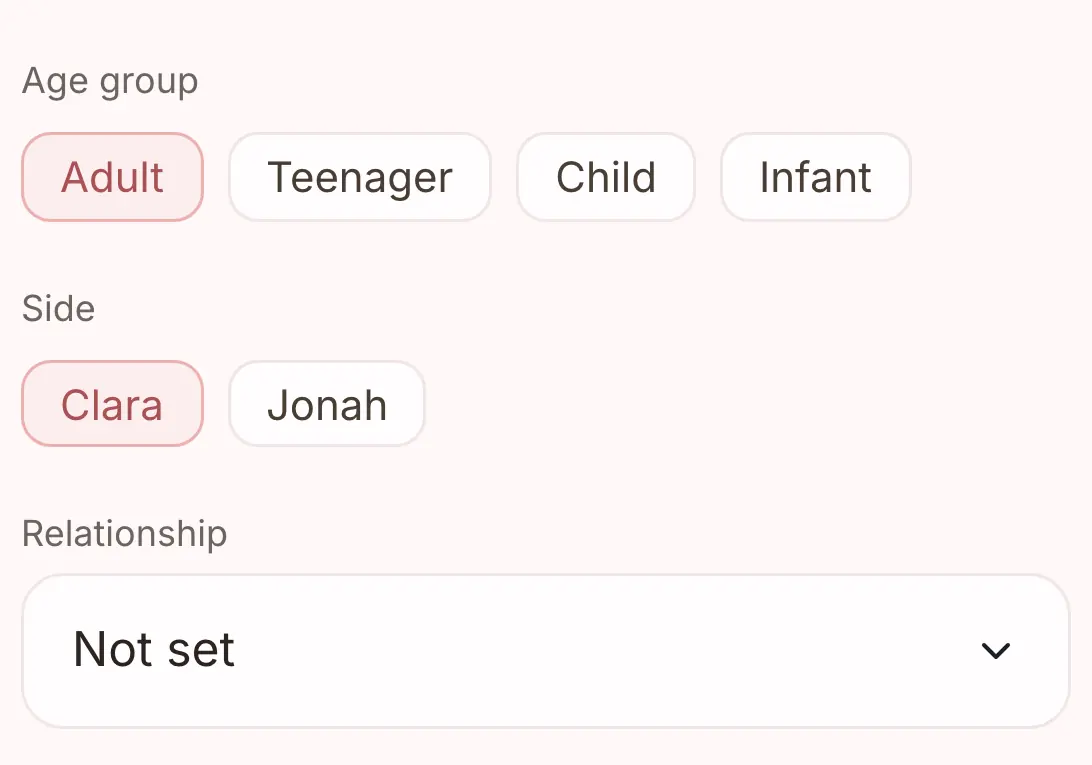
Add a guest as one person or as a household, with their side and how they know you. When they reply, the form asks whether they are coming and what they need to eat, and you can also switch on a song request and a message to you.
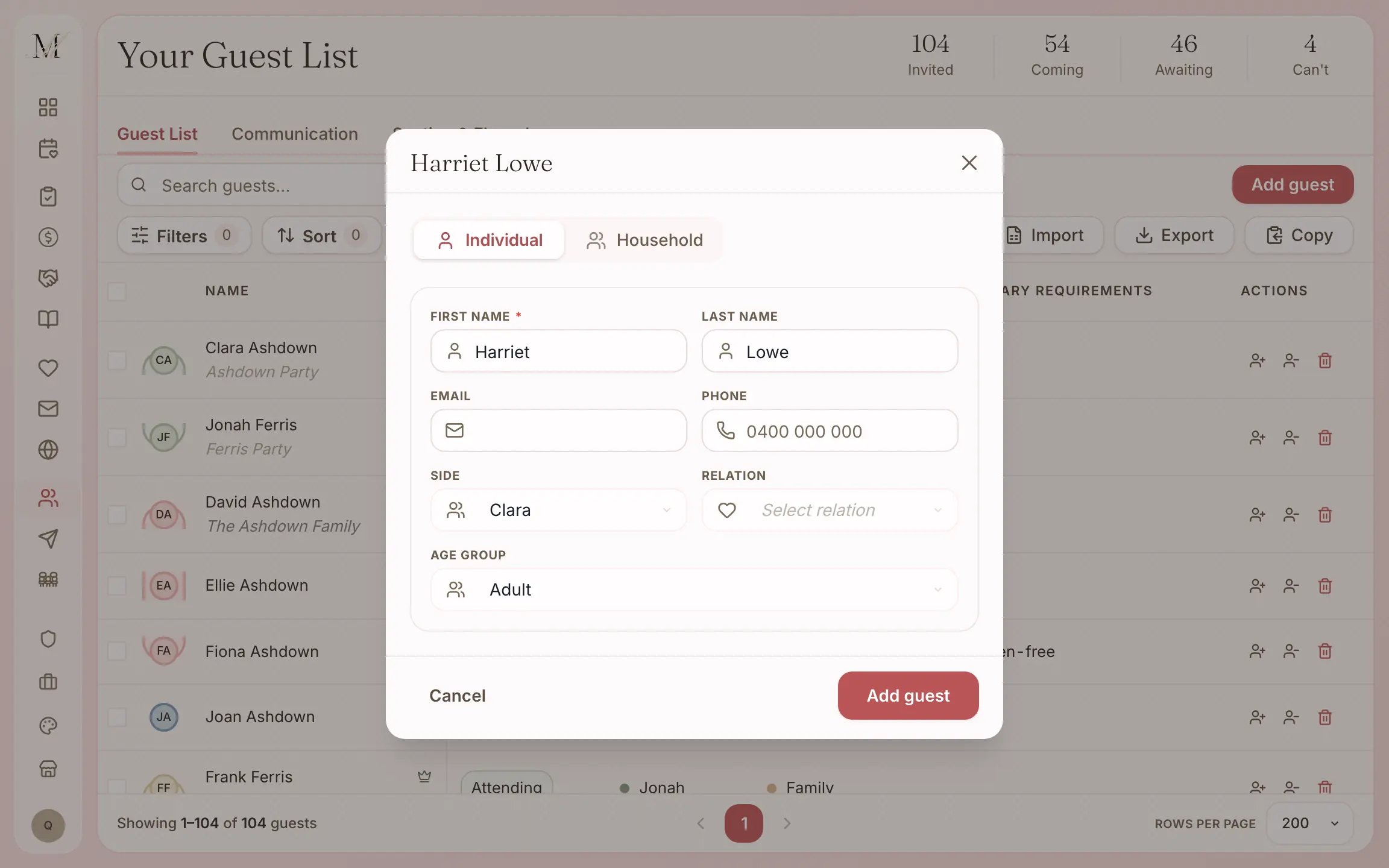
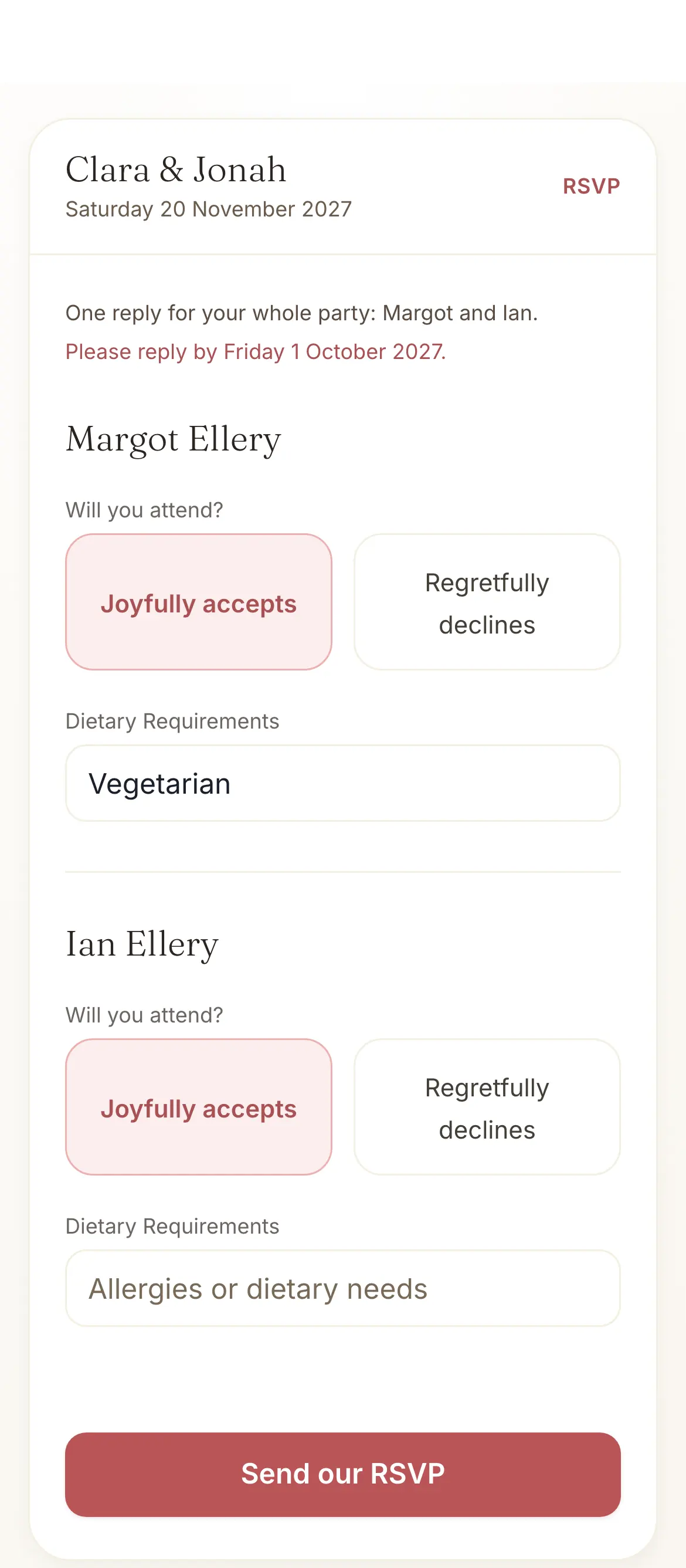

Every detail of your guest list, in one place.
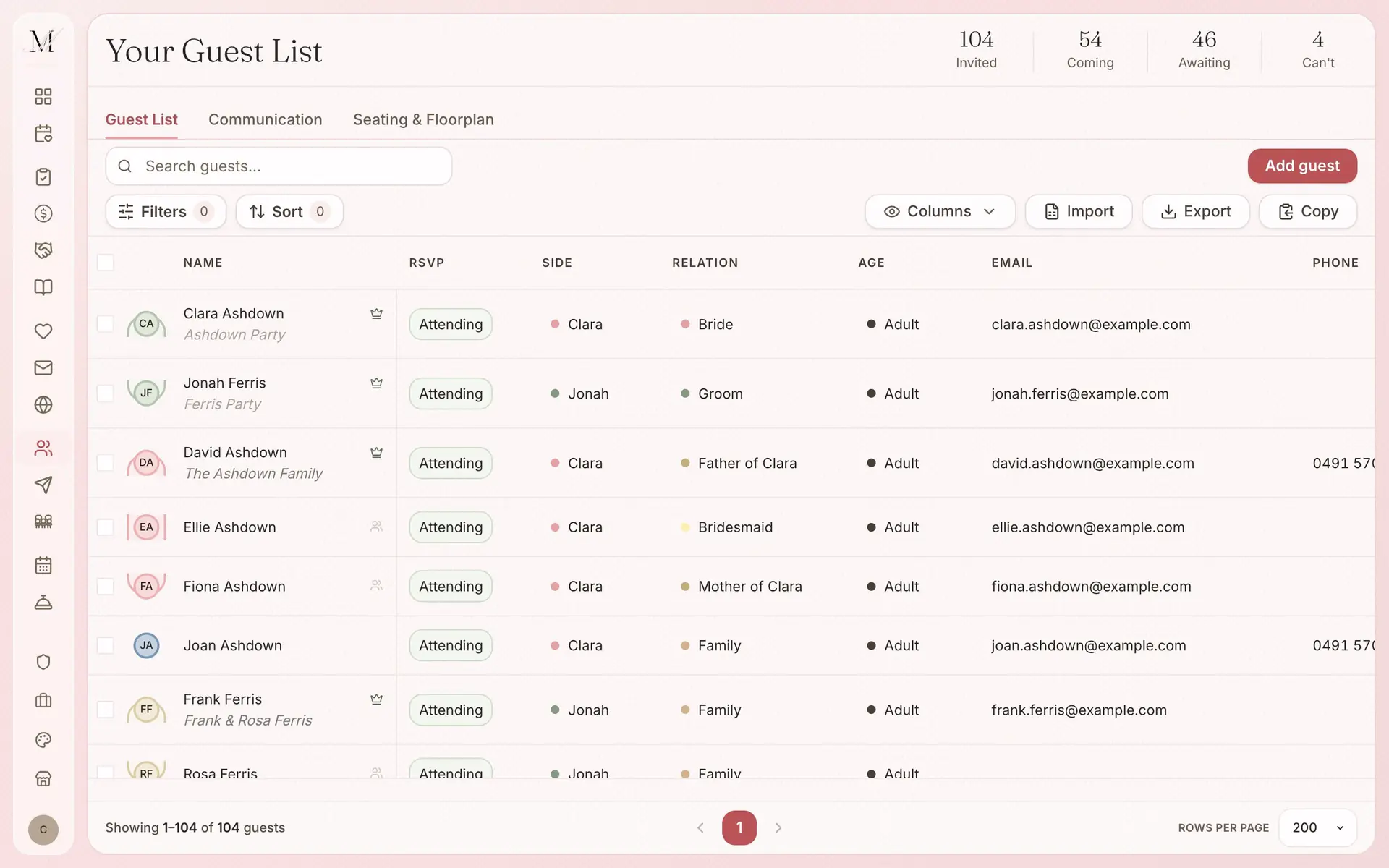
From the first import to the thank-yous, it all happens in one list. You do not need a separate RSVP tool, and you can export a spreadsheet for your venue when they ask for one.
The list
- Import from CSV or Excel, and match the columns for names, email, phone and notes
- Households, so families and friends stay together
- Each guest's side and relation, for speeches and seating
- Dietary needs for each guest, in one field
- Search, filter and sort, and choose the columns you see
- Table assignments shared with the seating plan, with no double entry
Replies
- See who has said yes, who has said no and who still needs a nudge
- Totals for invited, coming, awaiting and can't come
- Replies from your website, the link in your invitation, or a QR code on a printed card
Sending, with Manage
- Save the dates, invitations, reminders, updates and thank-yous by email and SMS
- Messages written for you to edit
- A reminder to guests who have not replied
- 150 SMS credits with Manage and 300 with Elevate; more from $19 for 100
Getting it out
- Export as CSV on the desktop site, for your venue, caterer or coordinator
- Or copy the list and paste it
Watch how the guest list works.
A short film we recorded inside the app. You can watch it without signing up.
How to build and manage your wedding guest list
Import your guests from a spreadsheet, group families into households, and keep replies and dietary needs in one place.
How to send your guest messages, from contact details to the thank-you
Collect contact details, choose the invitation's RSVP questions and who receives it, and prepare an event update and a thank-you, from one place.
The guest list is on every plan.
What changes between the plans is how many guests the list holds, and whether you send from it.
Free
$0
For up to 100 guests.
Manage
$149, once
For any number of guests, and for sending your invitations and building your run sheet. It was our most chosen paid plan from July to September 2026.
Elevate
$399, once
Adds Memories, a stationery credit, and a review of your run sheet by one of our coordinators.
What each plan holds
Free
- The checklist
- The budget tracker
- Your guest list and RSVPs
- Your wedding website
- The floor plan and table planner
- The vendor directory and your shortlist
- The design studio (printing is priced per order)
- Import and export (CSV and PDF)
Everything in Free, plus
- Unlimited guests
- Save the dates and invitations sent by email and SMS
- Guest updates, reminders and thank-yous
- The run sheet builder
- 150 SMS credits
Everything in Manage, plus
- Memories, a gallery your guests fill with photos and videos
- A $100 stationery credit and free shipping on print orders
- Your run sheet reviewed by one of our coordinators
- 300 SMS credits
Pay once, not a subscription. Prices are in Australian dollars and include GST.
On Free your guest list holds up to 100 guests. To add more, move up to Manage, and everything you have entered stays where it is.
How the guest list connects to the other tools.
Seating and floor plan
Seat your guests straight from the list, and each guest's table shows in both places.
Invitations and save the dates
Send your invitations to the list, and the replies come straight back to it.
Wedding website
Guests reply on your website, and each answer lands in that guest's row.
Wedding checklist
The guest tasks in the checklist, from drafting the list for the save the dates to following up late replies, open the guest list for you.
Common questions about your guest list.
Is the wedding guest list app free?
Yes. The Free plan covers up to 100 guests, with RSVP tracking, dietary needs and households. For a bigger wedding, Manage ($149, paid once, GST included) gives you unlimited guests and lets you send your save the dates and invitations by email and SMS.
What happens at 100 guests?
On Free, the guest list holds up to 100 guests. Manage removes the limit for $149, paid once, and everything you have already entered stays where it is.
Can I import my guest list from a spreadsheet?
Yes. Upload a CSV or Excel file and match its columns: names, email, phone, RSVP status, side, relation, address, age group, dietary needs, notes and groups. Once it is in, group your guests into households. You can also add guests one at a time.
How do I track wedding RSVPs?
Every reply lands in your guest list as it comes in: coming, can't come or still awaiting. The totals sit at the top of the list, and you can filter by status, household, side or dietary need.
Three more questions
Can guests RSVP online?
Yes. Guests reply on your wedding website or from the link in your digital invitation, and a QR code on a printed invitation opens the same page. Replies go straight to your guest list. Whether they are attending and their dietary needs are asked by default, and you can switch on a song request and a message to you.
How do dietary requirements work?
Each guest has one dietary field. Guests fill it in when they reply, or you add it yourself. Filter the list by dietary need, and export a CSV for your venue or caterer when it is time to confirm numbers.
Can I send SMS to my wedding guests?
Yes, with Manage or Elevate. Manage includes 150 SMS credits and Elevate includes 300, and you can buy more from $19 for 100.